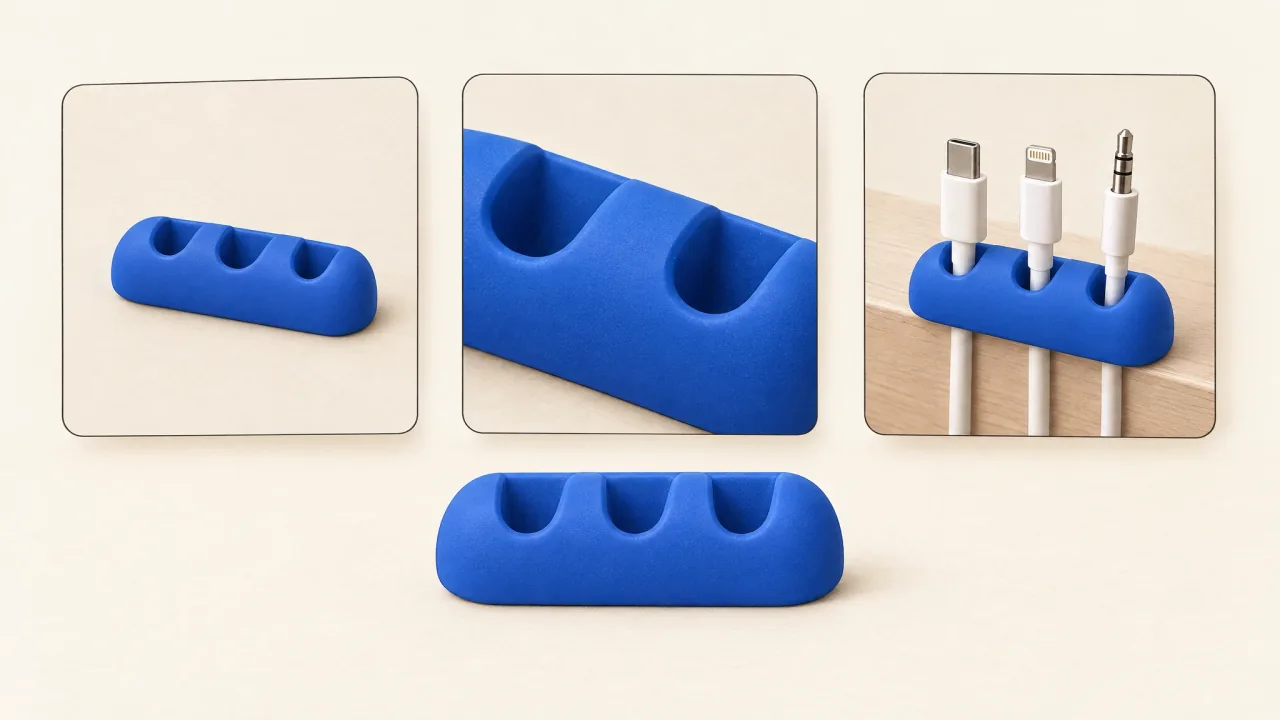
Build your product reference pack around one question: what must this exact object look like? Settle that before using images to suggest mood, lighting, or cinematic style.
References define the object you want to show. They don't establish durability, health benefits, compatibility, or campaign effectiveness. Keep those claims in a separate approved facts document.
The examples here are illustrative pre-production choices for two fictional props: a matte cobalt-blue, three-slot cable keeper and a warm-white adjustable-arm lamp with a round base. They explain what to prepare and inspect, without claiming that any particular render has preserved those details.
Start with three different questions
Start with views that answer different questions about the object. Add another when it resolves an important gap; a folder of nearly identical photographs won't do that. The first-product-ad lesson shows how these inputs fit the complete task if you're preparing your first brief.
Hero view: what is the whole object?
A clear three-quarter view can show the overall shape, colour, proportions, and how the parts fit together. Include the whole product and use lighting that makes its surfaces readable.
For the cable keeper, the hero view should make the cobalt-blue body and three-slot geometry recognizable. A dramatic silhouette might be useful art direction, but it is a weak identity input if the slots disappear into shadow.
For a real packaged product, include the packaging variant the campaign will actually advertise. A similar container from another range is not an interchangeable reference.
Detail view: what must not be guessed?
Choose the detail the explanation depends on or that distinguishes the design. Use the minimal shot-list worksheet to identify the view you need. For the keeper, that is the slot layout and a readable cable-resting position. Avoid a close-up so tight that it loses its relationship to the whole object.
For the lamp, a side view should clarify the arm and single hinge design. It should show the actual joint rather than leave the ad to invent an extra hinge. If movement is important, approved views of its real positions are more useful than an unexplained dramatic pose.
Supply the approved label wording in writing as well as in the image. A photograph shows where lettering sits; the brief needs to state what it says, too.
Context view: where and how is it used?
An ordinary use scene establishes placement and relationships. Put the keeper at the desk edge with loose cable ends resting in its slots. Put the lamp on a desk where the base, arm, and working area are understandable.
Context can give a plausible sense of scale, but you'll need measured dimensions if exact size matters to the message. A photograph can't prove a capacity, installation method, or load rating that hasn't been supplied as fact.
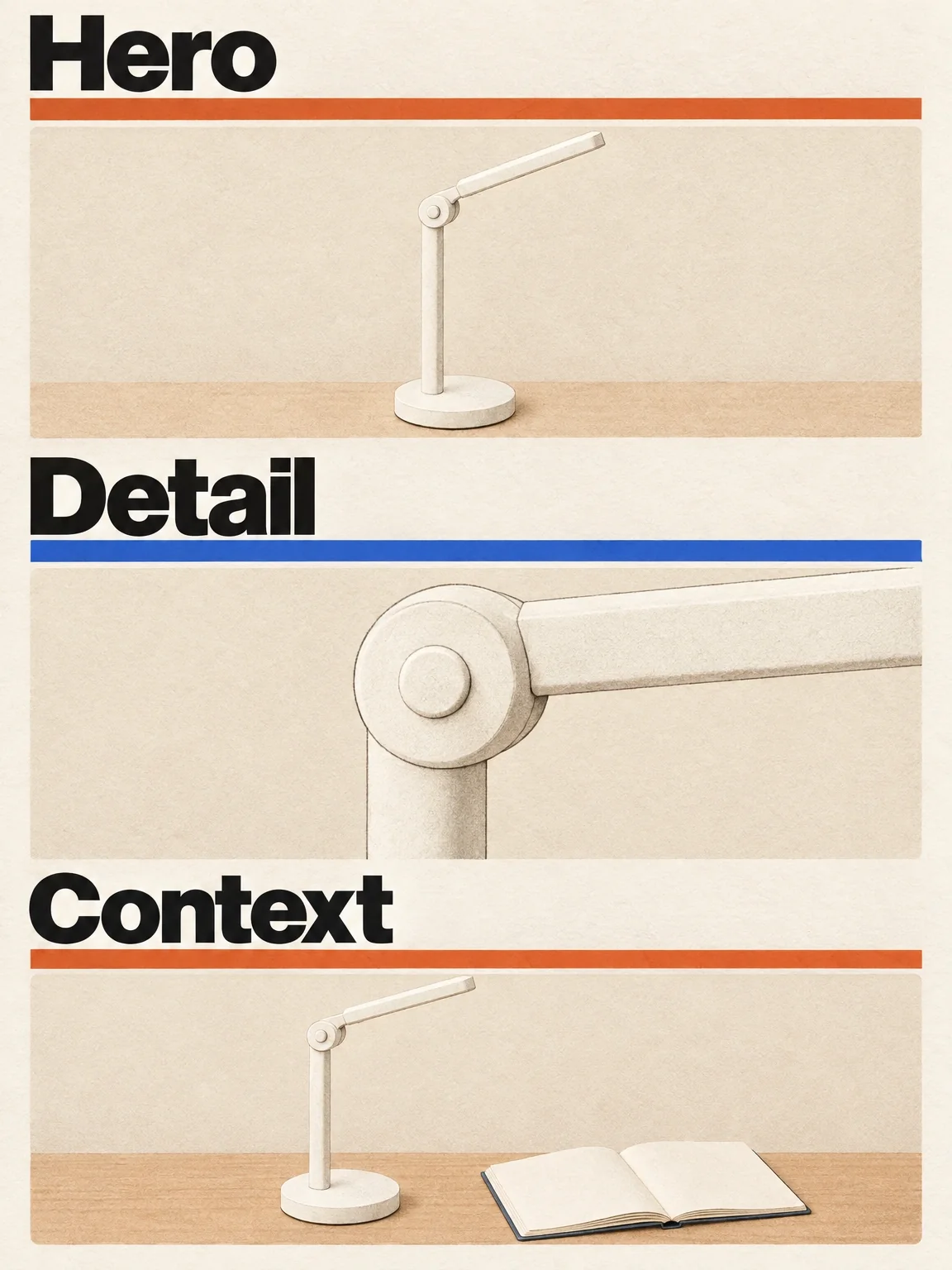
Three views should answer three different questions
The fictional lamp's whole-object, joint-detail and desk-context views each answer a different reference question.
View full-size (opens in a new tab)Image explanation
- The hero view shows the whole lamp's shape, colour and part relationships. The detail tightly crops its single side-view pivot, with the base outside the frame; the context view places the whole lamp beside an open notebook on a desk.
- Keep the supplied fictional warm-white, straight-bar, single-pivot, round-base identity in all three views. Context supplies no measured dimensions or lighting-performance claim, and the proposed views prove no render's fidelity.
- For a real product, use actual owner-approved SKU images. Supply measured facts and exact label wording separately.
Keep product identity and visual inspiration separate
Suppose you want to place the cable keeper inside a deep-sea metaphor. The desk reference defines the object; an ocean image can suggest colour, atmosphere, or composition. Label their roles in the brief:
- Product identity: these views define the exact object and its visible details.
- Use context: this view explains its ordinary placement and action.
- Style inspiration: this image suggests a treatment, not replacement geometry or product features.
If an inspiration image includes a different organizer, make clear that it doesn't define the advertised product. You can avoid that conflict by choosing an image whose colour, atmosphere, or composition doesn't depend on another object's design.
For stylized ads, specify which details must survive the style change. A clay-world keeper can look tactile, but adding a fourth slot changes the product rather than its treatment.
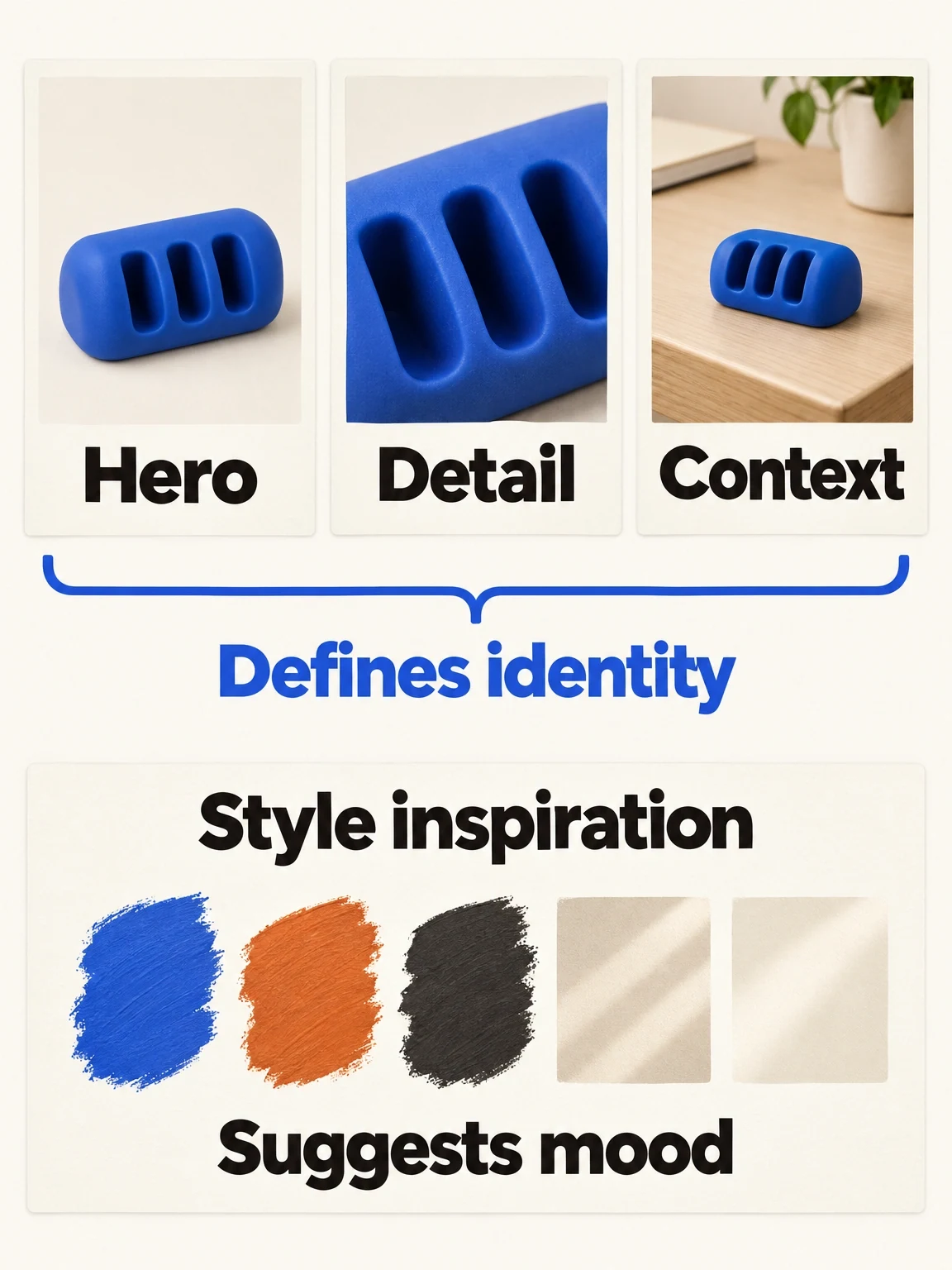
Product references and mood inspiration have different jobs
The fictional keeper's product views define the object. The separate swatches guide its treatment without adding geometry or capabilities.
View full-size (opens in a new tab)Image explanation
- Hero, detail and context views establish the exact fictional object and its ordinary resting relationship.
- Colour and light swatches supply mood only. Real products need actual approved SKU images and separately sourced measured facts.
Check the pack before asking for scenes
Compare the views together. Do the colour variant, packaging revision, slot count, proportions, and accessories agree? Resolve any disagreement before asking production to work from the set.
Then divide the brief into fixed details and flexible choices. “Exactly three slots” is fixed. Background props and the inspection-stage lighting can be flexible. Include necessary exclusions, such as no invented logo or extra accessory, where they resolve a real ambiguity. Carry those decisions into the product-ad workflow alongside the approved facts and delivery requirements.
A fictional pack can define an imaginary object consistently. Preserving a real brand's packaging, logo, and exact geometry requires references of that existing product. Use its actual images; a generated approximation isn't a reliable source for those details.
Copy this reference note into your brief
Product: [name, category, exact variant]
Hero reference: [attached view; overall shape and colour]
Detail reference: [attached view; critical geometry or label]
Context reference: [attached view; placement and ordinary action]
Additional view, if necessary: [what uncertainty it resolves]
Fixed identity details: [parts, proportions, colours, branding]
Exact approved text: [logo/packaging wording, supplied separately]
Measured facts: [dimensions or other verified specifications]
Required action: [what the product should visibly do]
Flexible choices: [environment, lighting, supporting props]
Style inspiration: [separate image; the quality to borrow]
Do not infer: [unspecified functions, installation, or performance]
Unresolved conflicts: [which detail needs clarification]
Attach the actual files with clear labels. The note should make sense without the images, so a reviewer can tell which detail each view is meant to establish.
Review identity and action as separate questions
Before planning elaborate transitions, define one simple demonstration shot. For the keeper, that could be a desk-edge view showing a cable end resting in a slot. It gives you a focused review target: the correct object performing its stated job.
Inspect representative clear frames from the assembled ad, then watch the movement. Ask:
- Is it the correct product and variant, including visible geometry and labels?
- Does its shape stay consistent as the view changes?
- Is scale and placement understandable in the scene?
- Is the action physically readable, rather than obscured by cuts or hand movement?
- Is there a literal view that still explains the product outside the metaphor?
A correct still frame doesn't settle continuity during movement. Even a consistently depicted object can leave viewers confused if no shot explains its job.
If a hypothetical render showed four slots, first check whether the supplied views conflict, then record the mismatch in the product-fidelity ledger and request a correction to that specific identity detail. If the three-slot object is correct but the cable interaction is unclear, revise the action or composition. Those are different diagnoses; “make it more realistic” blurs them together.
If visibility is the problem, use the scene-revision planning guide, which proposes a clearer fictional lamp view. It gives a specific revision request, with no before-and-after footage. Correct references can still lead to an unclear ad when the chosen view hides the category or action.
Prepare hero, detail, and context views of your actual product, add the reference note, and open Fablo to produce a reference-led product ad. Recurring monthly credits support repeated production in Fablo. Start with the simplest useful demonstration and review its media estimate, allowing room for retries. Include chat and reasoning in the credit balance you plan to use.