


Faceless videos
Tell a story or explain an idea with visuals, narration, and captions, without appearing on camera.
Your idea
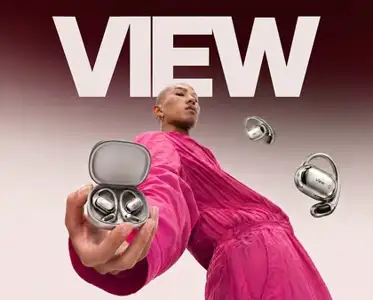
Make a cinematic launch video for these earbuds. Warm light, close-up details, and a clean product reveal.
Fablo
Planning your video…
On it. I'll plan the scenes, create the visuals, and assemble your video.
Script and scene plan
Open the case, reveal the earbuds in warm light, and finish with a clean hero shot of the product.
Writing, production, and quality checks handled for you
Example conversation with a silent, five-second visual sample. Plan the complete video, including sound and captions, in chat.
Tell Fablo what you want to make. It turns your idea into a finished video, taking care of the writing, visuals, sound, captions, and quality checks.
What will you make?
Whether you have a product to show off, an idea to explain, or a story to tell, choose what you want to create. Fablo figures out how to make it.
Tell a story or explain an idea with visuals, narration, and captions, without appearing on camera.

Put your product in the spotlight. Create demonstrations, launches, and visual showcases for your business.
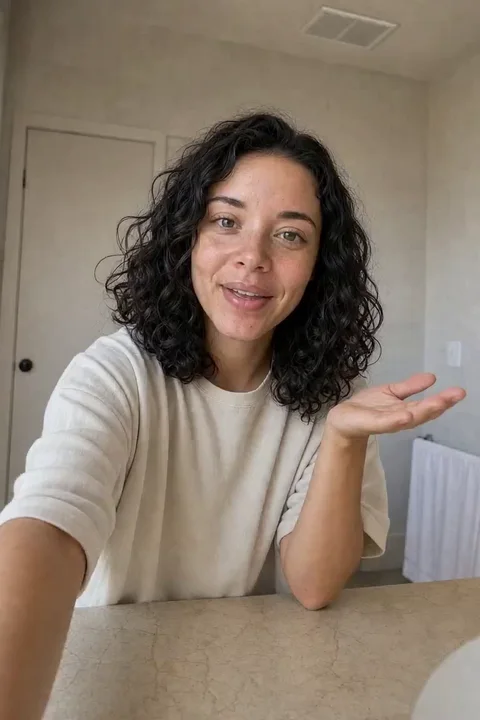
Give your message a face and a voice. Create a presenter-led introduction, explanation, or walkthrough.

Bring personality to your feed with short stories, animated ideas, and content people want to watch.

Turn a product brief into ad concepts, hooks, and variations you can put into your next creative test.
Explore Fablo for adsThese samples show visual styles you can try. Your brief sets the story, length, sound, and captions.
How it works
Bring your idea and let Fablo handle production. You don't have to learn separate tools or manage every step.
Tell Fablo what you want to make. Add your product, footage, or a reference if you have one.
Fablo handles the script, visuals, sound, and captions, with quality checks along the way.
Get your finished video and ask for any changes in chat, just as you would explain them to a person.
Why Fablo
Stay focused on what you want to say. Fablo takes care of the work behind the video, so you can create more without doing more production yourself.
Fablo brings together the script, scenes, voice, music, and captions. You get a video you can download and share.
Fablo handles the separate tools, prompts each step, and assembles the pieces, so you can keep making content.
Fablo checks the result and handles the corrections. You review the video before deciding to share it.
Make it shorter, warmer, or more playful. Ask for the change in chat, without learning a new editing tool.
Ideas to make your own
Browse visual references and briefs you can adapt. Pick a direction, add your own material, and plan the video with Fablo.
Pricing
Every plan includes the same video tools and quality checks. Choose your monthly credit balance; Fablo estimates the media work for each video before production.
Turn your first ideas into videos.
Make your first video.
$19 /mo
20,900 credits
Your starting paid plan
Video, images, voice, music, and captions
Picture this
Start with a faceless explainer, a product showcase, or a presenter-led introduction.
Built for
For individuals and small businesses starting with a few ideas and a smaller monthly budget.
Up to 1,160 images
or
Up to 25 10-second 480P clips
These counts are examples for one output type. Chat, sound, quality checks, and other work also use credits.
Keep your video calendar moving.
Make more videos with less production work.
$49 /mo
56,350 credits
2.7× the credits in Plus
Video, images, voice, music, and captions
Picture this
Build a content mix of product videos, social stories, presenter-led content, and ad variations.
Built for
For creators and businesses making video content regularly throughout the month.
Up to 3,130 images
or
Up to 75 10-second 480P clips
These counts are examples for one output type. Chat, sound, quality checks, and other work also use credits.
More stories and brands, at your pace.
Make room for the whole creative calendar.
Monthly budget: choose your amount in the app
$100 /mo
125,000 credits
6.0× the credits in Plus
Video, images, voice, music, and captions
Choose $100 to $2,000 per month in $100 steps. Select your budget again in the app before checkout. Changes to an active Scale budget aren't available yet.
Picture this
Plan product launches, faceless series, presenter videos, brand stories, and paid campaigns across your projects.
Built for
For teams working across multiple video projects, brands, or client briefs.
Up to 6,940 images
or
Up to 165 10-second 480P clips
These counts are examples for one output type. Chat, sound, quality checks, and other work also use credits.
Start with 10,000 credits when you sign up, then choose your production pace.
Every plan includes the same video tools and quality checks. Chat and production use one credit balance; choose more credits when you want to make more.
Base rate: $1 = 1,000 credits. Monthly plans include the bonus credits shown above. Monthly credits, including bonuses, expire at the end of the billing period; top-up credits do not expire. Each operation uses the same number of credits on every plan.
The estimate covers the planned media work, including sound and quality checks. Chat is charged separately from the same balance. Extra scenes or changes may need more credits. You review any larger media budget before the extra paid production starts.
Find your fit
Start with the balance that suits your budget. Each video has its own production estimate.
| Creative capability | Plus | Performance | Scale |
|---|---|---|---|
| credits | 20,900 | 56,350 | 125,000 |
| Best fit | For individuals and small businesses starting with a few ideas and a smaller monthly budget. | For creators and businesses making video content regularly throughout the month. | For teams working across multiple video projects, brands, or client briefs. |
| GPT Image 2.5 images | Up to 1,160 | Up to 3,130 | Up to 6,940 |
| or 10-second 480P clips | Up to 25 | Up to 75 | Up to 165 |
These examples use the landing offer's illustrative settings: 18 credits per GPT Image 2.5 Flare low image or 750 credits per 10-second 480P clip. Counts are rounded down and assume you spend the full balance on one output type. They show raw generations, rather than a fixed allowance of finished videos or a live price quote. Your media estimate uses the available models and current rates. Chat, evaluation, and regeneration also use credits.
Make the video that fits your idea. Fablo brings the writing, visuals, sound, and captions together for you.
Tell a story or explain an idea with generated visuals, narration, and captions, without appearing on camera.
Create product launches, demonstrations, and visual showcases from your product brief or reference images.
Introduce an idea, explain a service, or walk through a process with an AI presenter and a conversational script.
Make short stories, animations, and brand content for your feed. Explore the style that fits your audience.
Turn one brief into distinct opening angles and scripts. Swap the hook without starting the entire concept from scratch.
Bring scenes together with narration, music, and captions, then review your video in chat before downloading the final version.
Before you start
You can create faceless explainers and stories, product videos, AI presenter videos, social and brand content, and video ads. Tell Fablo what you have in mind and the style you like.
Start in everyday language. Describe what you want, answer any useful follow-up questions, and ask for changes as the video takes shape.
Yes. Bring product images, your own footage, logos, or a video you like. Fablo can use them to shape your video. You can use real material as well as AI-generated assets.
Yes. Fablo checks the visuals, captions, and sound and handles corrections. You review the video before deciding to publish it.
Yes. Ask for changes to the script, scenes, or visual direction in chat. If that means generating new assets, review the production estimate for the next step.
You'll get a downloadable MP4. Set the length and choose vertical, square, or landscape in chat. Your production plan also sets the export resolution, sound, and captions. Fablo assembles longer videos from multiple scenes.
Cost depends on the video's length, style, and scenes. Fablo estimates the planned media work before production, while chat uses credits separately. Ask for a plan that fits your balance. The image and clip examples below the plans show generation counts, rather than a fixed allowance of finished videos.
PricingYes. Chat and video production use the same credit balance. The media estimate covers the planned production calls; chat is a separate charge from that balance.
No. Every plan has the full creative toolkit, including quality control and the production workflow. Higher plans give you more monthly credits for chat, generation, evaluation, and production.
Monthly subscription credits expire at the end of their monthly period. Extra credits purchased separately don't expire and are used after monthly credits.
Yes. Choose a Scale monthly budget from $100 to $2,000 in $100 steps in the app, then complete Stripe Checkout. Changes to an active Scale budget aren't available yet.
You can use user-generated outputs commercially under our Terms if you have the rights to your inputs. Check the Terms and any third-party rights before publishing.
Want to talk through your workflow? Book a demo
Your next video starts here
Start with your first idea in the app. If you have a larger workload, bring a video brief to the demo to discuss the format, production steps, and a Scale budget.
You set the direction and budget, and Fablo handles production. Choose a monthly plan and Scale budget in the app, or book a demo to discuss your production.
Officially partnered

Describe what you have in mind. Fablo takes care of the production.