
Arcads · Skill / tutorial
Arcads Collage Motion Skill
Learn how to use the Arcads Collage Motion skill with Claude to create dynamic collage-style animated ads.
Source example · Motion / filmmaking
Plan an editorial-style ad with cutout product images, screenshots, exact text and data, paced to the script.
Use this proposed approach to start a conversation. Agree on the deliverables, budget and creative direction for your project in chat.
Examples from the credited platforms, collected on October 7, 2026.
Arcads · Skill / tutorial
Learn how to use the Arcads Collage Motion skill with Claude to create dynamic collage-style animated ads.
Source example · Motion / filmmaking
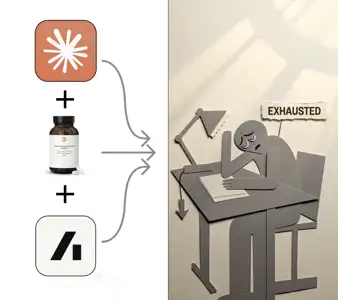
Arcads · Skill / tutorial
Step-by-step Notion tutorial to create a Vox-style animated ad using Claude and Arcads.
Source example · Motion / filmmaking
Freepik / Magnific · Spaces template
Design custom lettering from your references, add texture, and animate it inside a finished graphic. Ready-to-publish motion pieces for social, branding, and campaigns.
Source example · Brand / design
Use the references to choose a visual direction, then add your own facts, assets and audience. Bring these materials into the conversation:
Use this as a starting point for the production plan. Choose the final format and scope with Fablo before the paid work starts.
Use the brief to check the creative decisions. For this direction, pay attention to:
Copy this into your production conversation. Replace the bracketed inputs with your own material, specify what you need delivered and ask for a media estimate.
Make a 20-second editorial collage ad from this script, screenshots and product photos. Use exact type and simple charts, with one message per scene.

My idea, product, or brand: [describe it]
Audience and purpose: [who it is for and what it should communicate]
Facts, offer, and destination: [supply the exact details; flag anything unresolved]
Script and product assets: [attach or describe]
Screenshots or data: [attach or describe]
Brand typography: [attach or describe]
Format, runtime, and export: [set the delivery you need]
Media budget: [set a limit and ask for an estimate before production]

Requested deliverables:
- Explainer lasting 15 to 30 seconds
- Editable motion layout
- Static cover frame

Creative review priorities:
- UI, labels and numeric data match the source exactly
- Text is readable and the reading order is clear at phone size
- One clear point per beat
- Every movement has a purpose

Use the references for direction. Make the story, wording, and brand treatment original.The source examples and reproduction methods informed this proposed workflow. Credits identify the source of each reference, and the brief describes a possible Fablo production.