
Write enough Facebook ad copy to communicate the approved message. No universal length maximizes conversion. Put essential meaning early and review the text in its intended placement. For a short video, write a script you can speak within the planned runtime, then make sure the primary text supports the same promise.
Use a message-allocation sheet for primary text, spoken words, visible text, and the ending. It gives you a way to shorten copy while keeping the qualifications that make it accurate.
Separate platform recommendations from a writing decision
Meta's Facebook Feed video guide, checked October 8, 2026, recommends 50-150 characters for primary text and 27 characters for a headline in that placement. Treat these as starting recommendations. They establish no universal cutoff, technical maximum, or conversion improvement; check the placement you intend to use.
Before counting characters, write the ad's central thought: “See the storage layout inside this travel case.” Identify any fact that must accompany it. Keep conditions such as a variant-specific offer in place when shortening the first sentence.
Read the script aloud at the intended delivery. A line that fits a text field can still be awkward to say. Check the final spoken performance and edit to the planned runtime; a fixed words-per-second formula won't guarantee it fits.
Assign each surface a communication job
The free UGC script generator can arrange supplied facts into editable lines and filming beats. Put that spoken draft in the allocation sheet, then check its wording against your primary text and end card.
Primary text can name the product, establish the use situation, and add supporting detail. Speech can guide the viewer through the action. On-screen copy can identify a category or preserve essential meaning without audio. The end card can repeat the approved next action.
Each surface can use different wording while agreeing on the product, claim, qualification, offer, and destination. “See the layout” in primary text conflicts with an ending that unexpectedly promises a discount. “Four necklace loops” conflicts with footage of a different case containing six.
Use the specific-script-line worksheet to clarify vague sentences and the visual-and-spoken hook guide to resolve different questions in the opening image and line. Bring those individual lines together in the allocation sheet.
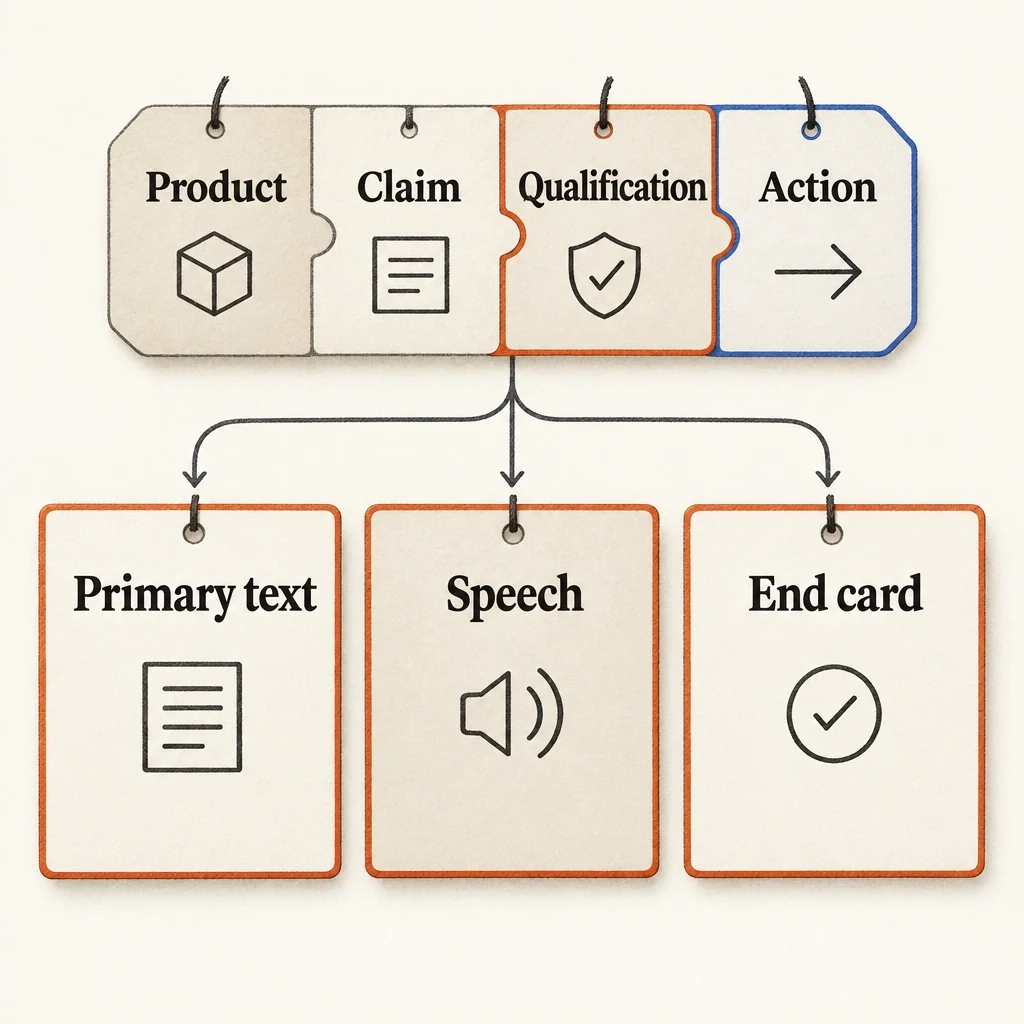
One approved message across three surfaces
Primary text, speech and the ending can use different words while agreeing on the facts, essential conditions and next action.
View full-size (opens in a new tab)Image explanation
- Allocate one approved product, claim, qualification and action across primary text, speech and the ending.
- Adapt the wording to each surface while keeping essential conditions and destinations consistent. Review the actual previews and delivered audio.
Make the first sentence useful without the rest
Read only the beginning of the primary text. Can you identify the product and message? If an introduction like “You asked, we listened” leaves either unclear, replace it with concrete information.
Hide the expanded text and play the video without audio. Check whether any essential qualification disappears. If a later paragraph limits an absolute-sounding first sentence, revise that sentence so its meaning survives without expansion.
Check truncation and text visibility in current placement previews. Record what you can see, along with the device and setup. That record applies to the preview you inspected; one screenshot can't establish a universal cutoff or predict every placement. Review this campaign presentation alongside the production itself.
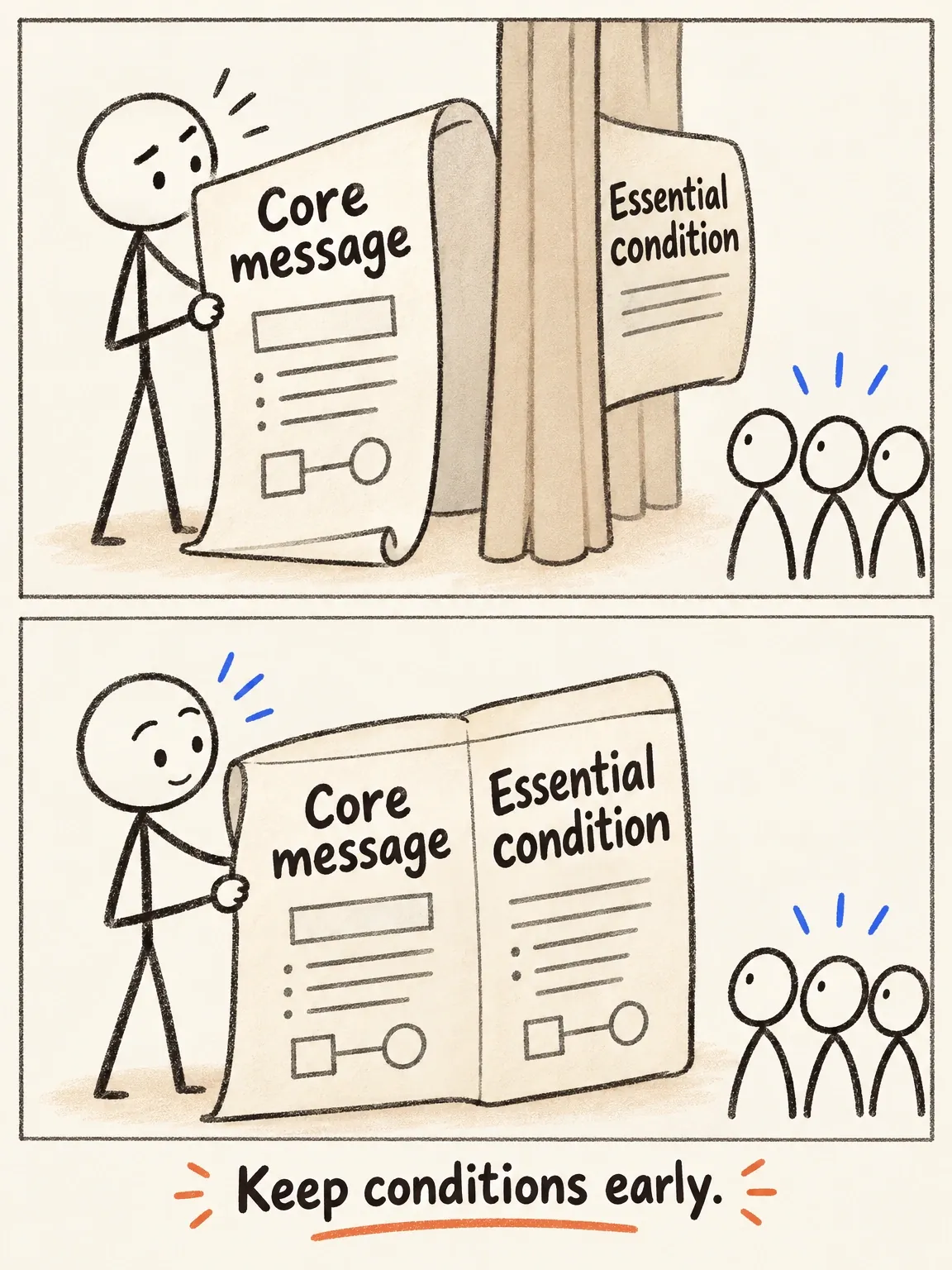
The condition should not hide in the fold
Put the essential condition where the claim begins. A viewer may never open the rest of the text.
View full-size (opens in a new tab)Image explanation
- The beginning of primary text should identify the product and message. If a later paragraph limits an absolute opening, revise that opening so the condition travels with the claim.
- Hide expanded text and remove video audio to check for missing essential qualifications. Inspect actual placement previews and record the reviewed setup; truncation and visibility vary by destination.
- The scroll uses role labels, with no approved campaign wording or platform screenshot. It sets no universal character cutoff or measured copy-length winner.
Worked example: a fold-flat jewellery case
For this illustrative exercise, the fictional case has four necklace loops, one zipped pouch, and a fold-flat construction. Assume supplied references show its interior and closure. The brief supplies no anti-tangling guarantee, capacity for every jewellery type, or customer story.
Short primary text:
See the four necklace loops inside this fold-flat jewellery case. Explore the layout.
Expanded primary text:
See the four necklace loops inside this fold-flat jewellery case. The interior also has one zipped pouch. Watch the case open and fold closed, then explore the full layout.
The short primary text is 85 characters; the expanded version is 172, counting spaces and punctuation. The longer example exceeds the Feed guide's starting recommendation to show where supporting detail belongs. Both still need an actual placement preview for visibility, and neither is a measured winner.
Proposed spoken script:
Four loops for necklaces, plus one zipped pouch. See the case open, then fold closed. Explore the layout.
Visible opening text: “Fold-flat jewellery case.” End-card text: “Explore the layout.”
The planned shots show the interior, identify the loops and pouch, and show the supported closure action. The expanded text adds detail while avoiding a claim that jewellery never tangles. Both options accompany the same planned video and remain untested for performance.
The actual brand would supply the destination and approved product language. The collage-explainer showcase proposes a way to map exact words to visual beats. It contains no finished Fablo jewellery-case example, and its proposed editing controls still need confirmation.
Copy the primary-text, script, and end-card sheet
Record exact wording in this sheet so you can find contradictions. A label like “Similar message” won't show them.
Product and approved facts: [identity, features, evidence]
Single message: [what the viewer should understand]
Essential qualification: [must appear with the claim, or none]
Primary-text first sentence: [recognition and core message]
Optional expanded detail: [supported context, no new promise]
Opening image and visible text: [what starts the video]
Spoken script: [exact words; read aloud for intended delivery]
Video demonstration: [evidence supporting those words]
End card: [exact approved invitation]
Offer and destination: [same approved terms and URL everywhere]
Contradiction check: [product / quantity / claim / offer / action]
Preview review: [placement, device, visible text, truncation]
Production request: [runtime, ratio, assembled-video delivery]
Preserve in correction: [message, facts, evidence, invitation]
Explain the plan and estimate before paid production. Let me
review the actual video and both text options as one message set.
Review the actual ad as one message set
Include the static entry surface in the review. Use the thumbnail-to-opening selection card to check whether the poster promises the product action introduced in the first video beat.
Place the selected primary text beside the assembled video. Listen to the final narration and read the captions and ending, comparing them with the approved sheet. Check every word and qualification in the exported speech, even if the draft was correct.
Name the mismatch in your correction request: “Keep the interior demonstration; replace the ending's offer with the approved layout invitation.” This keeps the useful sequence while correcting the offer.
Bring the sheet into the product-ad workflow and open Fablo to produce a video that agrees with your copy. Use the sheet to plan, assemble, and evaluate the complete video. Request specific corrections before your final selection. For continuing campaigns, review the subscription options and define each message set's scope before authorizing production.