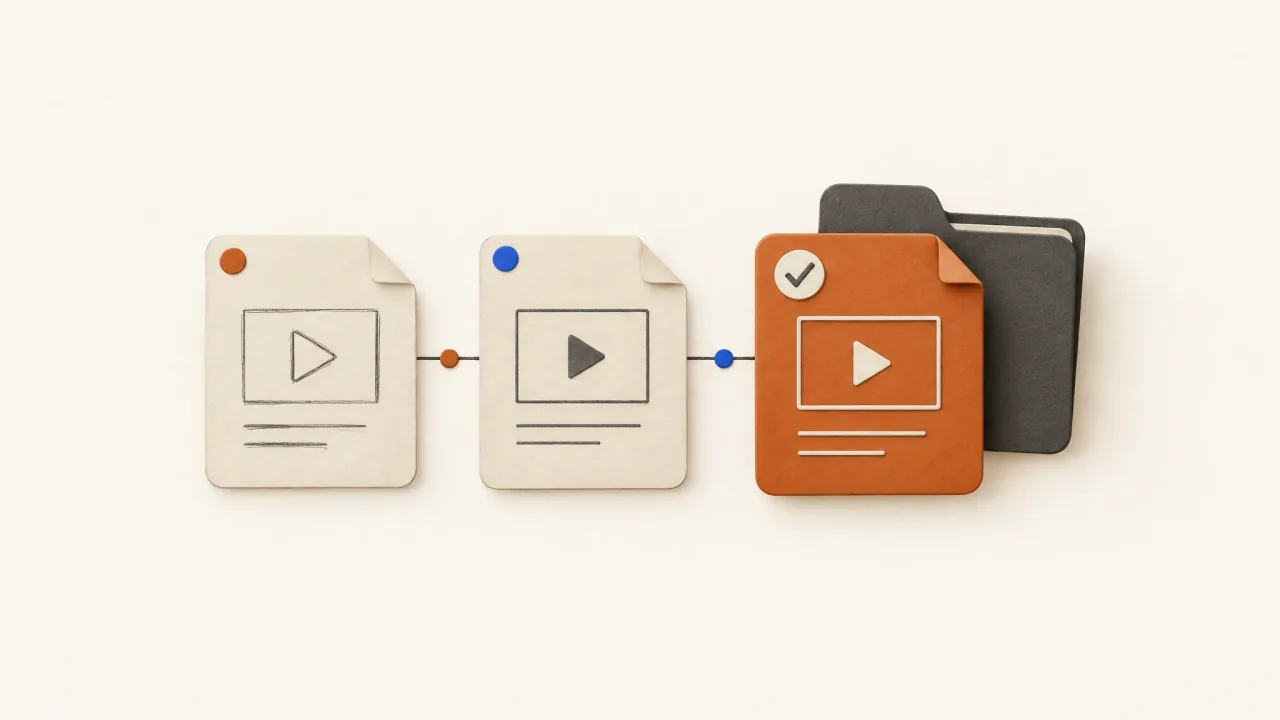
Use filenames and versions to identify exports. Keep a separate acceptance record showing which exact file may be delivered. The newest file still needs approval.
Names such as final.mp4, final-new.mp4, and final-approved-use-this.mp4 mix a file's identity with a decision that can change. After a few downloads, folder moves, and messages, the receiver can't reliably tell which exact file someone inspected.
You can use the proposed convention below in your own storage and records. It doesn't describe built-in naming, team permissions, or asset management in Fablo.
Choose stable keys before naming exports
Create a short dictionary of product, production packet, concept, and opening identifiers. Keep it with the brief and variation authorization. The product key points to the actual product and reference set. The packet key identifies the specific production request.
Name concepts by what they communicate, such as mechanism or objection, instead of giving them vague quality labels. A change in aesthetic can keep the same concept key. When the buying reason changes, assign a new key and explain the difference in the record.
Use a hook key to distinguish openings. If the work has no numbered opening alternatives, use a placeholder such as h00 and define it in the dictionary. The receiver shouldn't have to guess what it means.
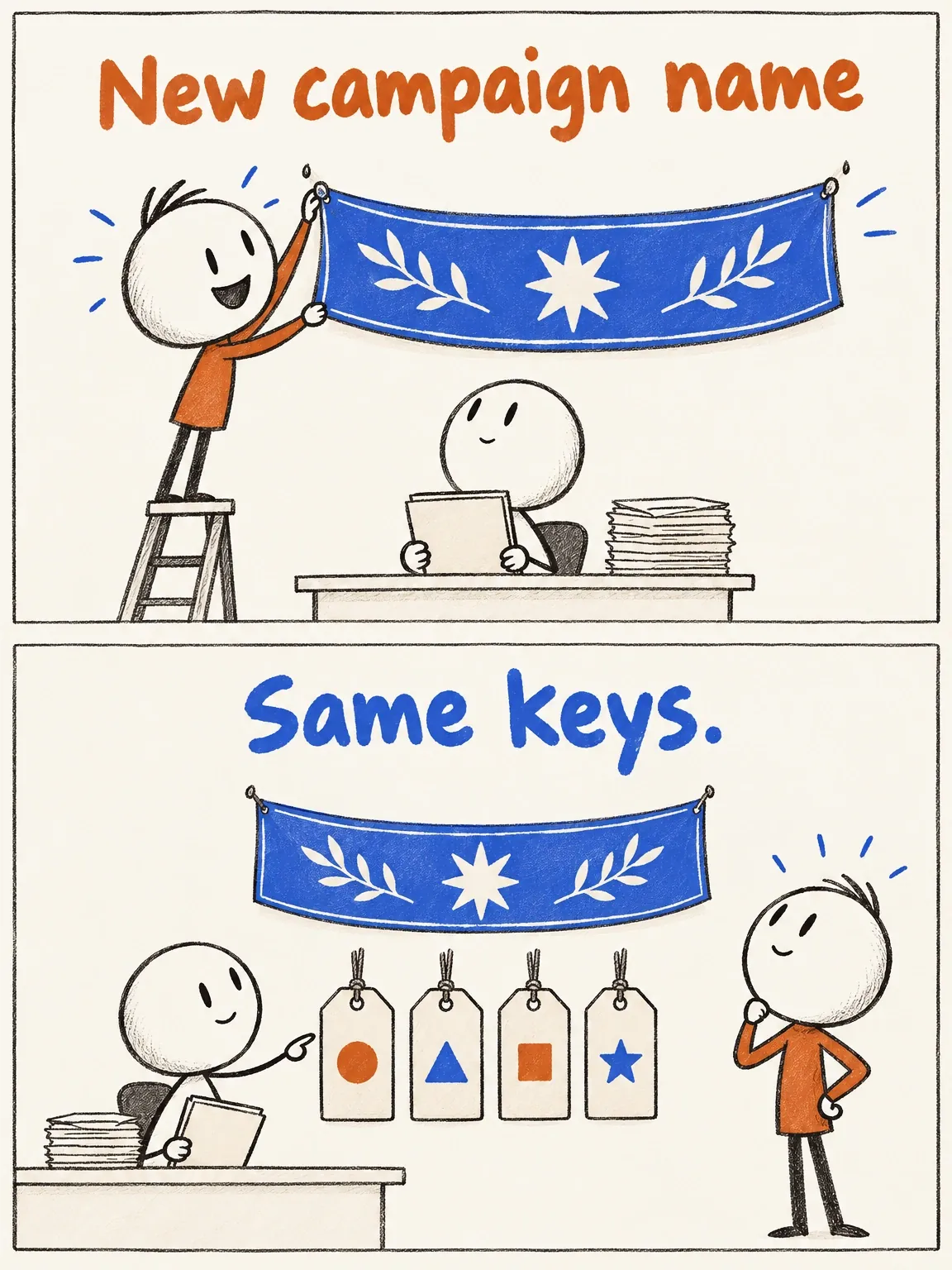
Keep keys stable when campaign names change. A filename only needs enough detail to locate the right export. Put the brief and the buying reason you want to test in the accompanying record.
The campaign got a new hat
The campaign gets a new name; the file keeps its stable keys. The cartoon uses tags to show what stays put.
View full-size (opens in a new tab)Image explanation
- Renaming a campaign needn't change the product, packet, concept and opening keys that locate the production file and its governing brief.
- Keep the keys' meanings in a dictionary linked to the brief. A new costume or rendering style alone adds no buying argument.
- The tags illustrate a proposed naming convention, with no populated export record or built-in Fablo naming feature. File versions and acceptance still need separate records.
A compact export convention
Use this pattern:
product_packet_concept_hook_locale_ratio_size_vNNN.ext
Use lowercase letters, numbers, and hyphens within keys, with underscores separating fields. Write aspect ratios as 9x16, not 9:16. Use a consistent locale key, such as en, or a more specific key when the language variant matters.
Fill the size field with the dimensions you find in the returned file. The generation request tells you what was requested; the file tells you what was delivered. Those dimensions describe the frame, but say nothing about the detail quality of the footage inside it.
Pad version numbers consistently so the sequence is easy to read. This convention uses v001, v002, and so on. Treat the number as a revision count. Quality and approval belong in the review record.
These imaginary filenames describe a fictional cable keeper. There are no returned exports or acceptance decisions behind them:
keeper_p01_mechanism_h01_en_9x16_1080x1920_v001.mp4
keeper_p01_mechanism_h01_en_9x16_1080x1920_v002.mp4
keeper_p01_mechanism_h02_en_9x16_1080x1920_v001.mp4
keeper_p01_mechanism_h01_en_4x5_1080x1350_v001.mp4
The first two are revisions of the same variant. The third has another opening; the fourth has different framing and export dimensions. The dimensions are naming examples only. They haven't been measured from files or verified as subscription inclusions.
Make versions immutable
Once you share an export for inspection, keep that version intact. A caption correction, replacement shot, audio adjustment, or encoding change needs a new export version and a change note. Overwriting the old file under the same name breaks the review history. Use the creative-revision workflow to identify the source candidate and the material to preserve when commissioning a change.
Each complete filename stem before the version token has its own sequence. Changing the hook, locale, ratio, or size creates a separate variant. Two files ending in v002 may therefore represent quite different edits.
Record which source candidate you revised or adapted, along with what changed. If you make a wider crop from an accepted vertical edit, keep the source reference and inspect the wider crop on its own. The new framing can obscure a product detail or move text into an unsuitable position despite the source's approval.
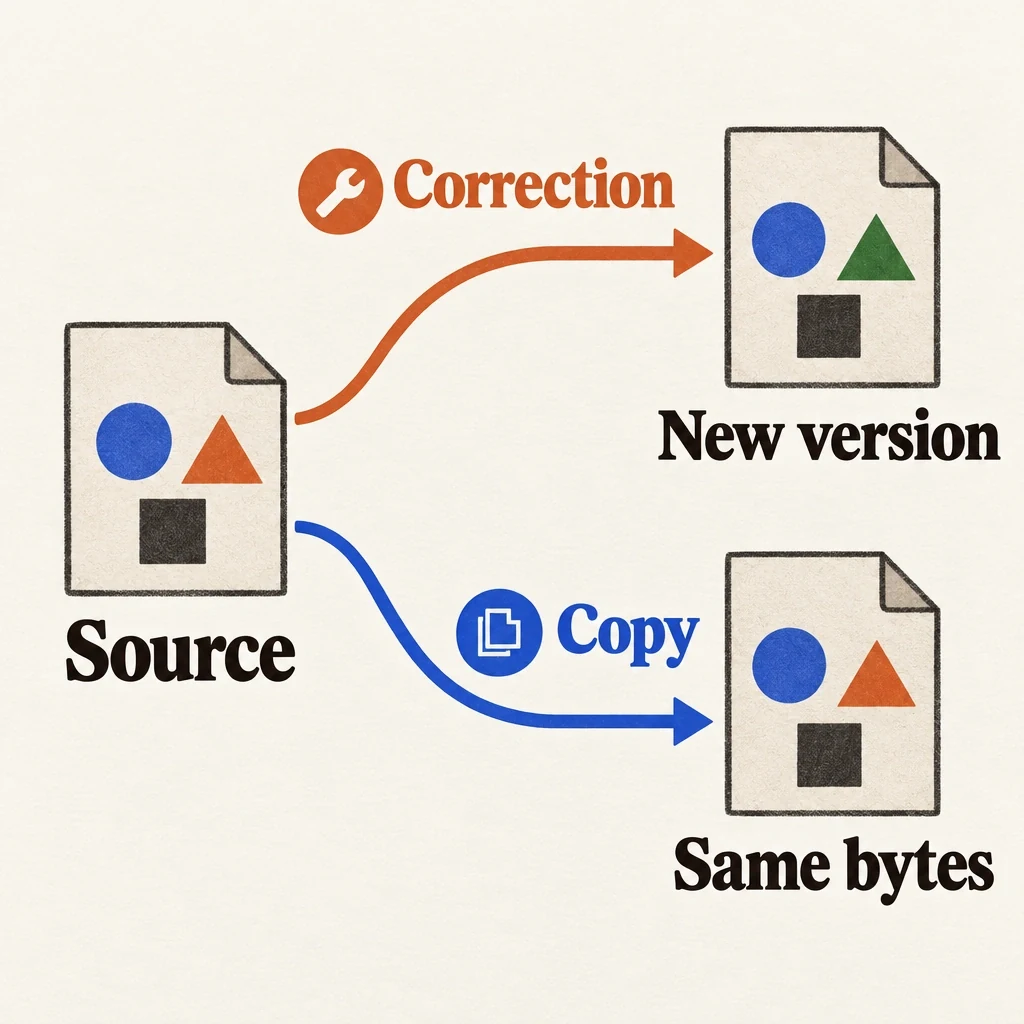
A byte-identical copy can keep the same creative revision number, as long as you can trace it to the inspected original. Renaming a download changes its name; it doesn't create a new edit or approval.
A correction and a copy have different lineage
Keep the inspected source and record whether a new file changes its contents or simply copies them.
View full-size (opens in a new tab)Image explanation
- Retain the shared source export. A corrected caption, shot, audio mix or encoding creates a new version that needs a change note.
- A byte-identical administrative copy keeps its link to the inspected original. Neither copying nor revising a file grants automatic approval.
Keep approval out of the filename
Track candidate, changes requested, accepted, rejected, and superseded statuses in a record or review system. Adding final to an accepted export's name breaks the link to the exact name used in the decision and adds no reliable evidence.
An export may be accepted for one use and unsuitable for another. Approval for a development screening doesn't permit every derivative to be uploaded. Record the allowed use with help from the approval-handoff guide.
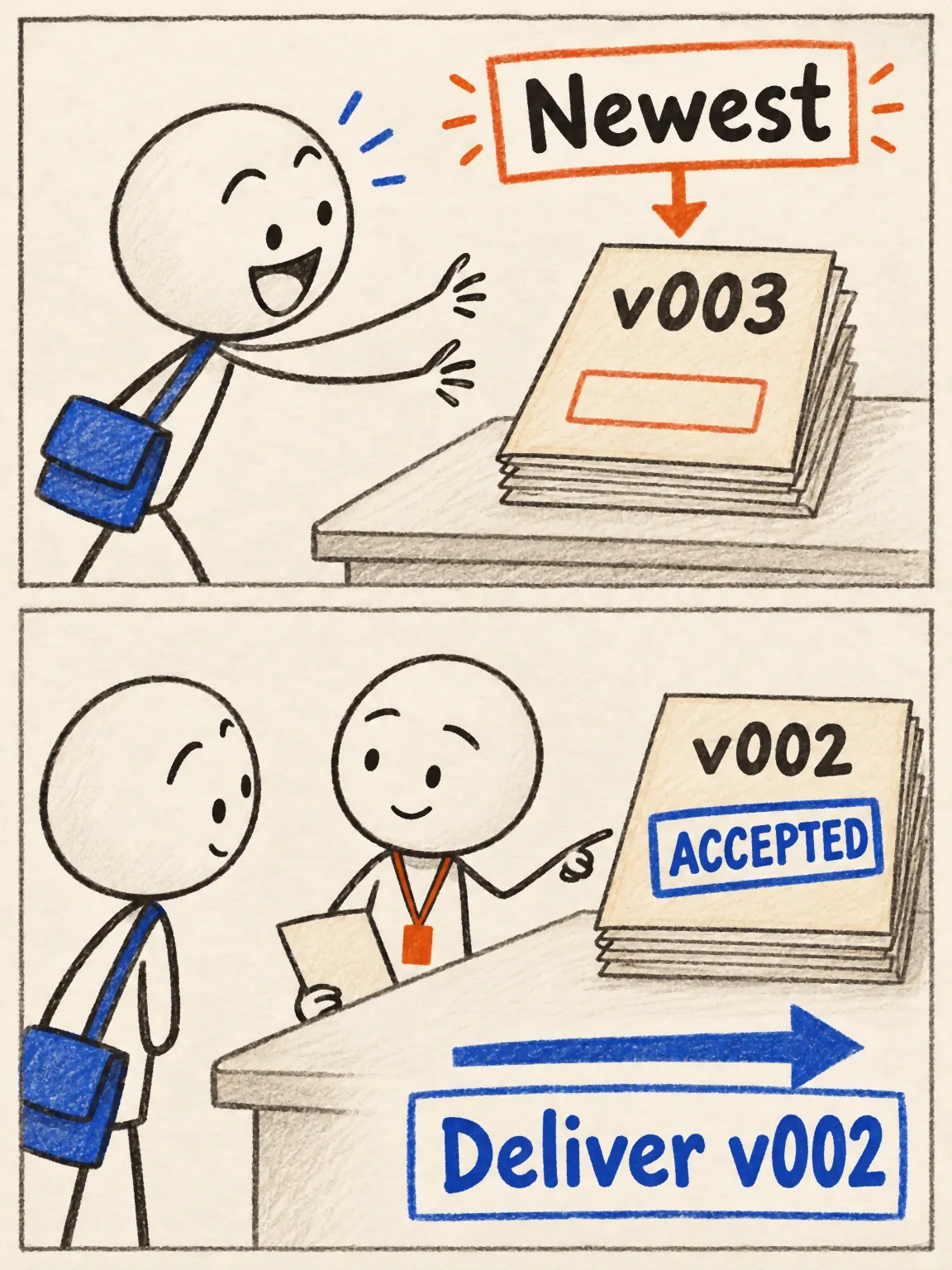
Imagine a reviewer requests changes to v001, accepts v002 for vertical delivery, and hasn't reviewed v003. The delivery record still points to v002. This history is hypothetical. A real production packet needs the actual acceptance decision on record.
Point the acceptance record to the exact export and an accessible storage location. Keep the approved file fixed there. If that location allows replacement, retain file identity evidence and storage history so an old approval can't silently attach to changed contents.
The newest-file trap
In this hypothetical version history, v002 is accepted for delivery while the newer v003 still awaits review.
View full-size (opens in a new tab)Image explanation
- The hypothetical v003 is newer but unreviewed; v002 has recorded acceptance for vertical delivery.
- Deliver that exact file with its contents and approved-use record intact. A version number alone says nothing about approval.
Copy this accepted-file record
The blank template below is for your own records; it doesn't report a completed run. Fill the acceptance fields after a real decision. Until then, leave the status as candidate or pending review.
Artifact ID: [stable export identifier]
Exact filename and version: [inspected file, not a planned name]
Storage location: [retained file; intended recipient access confirmed]
File identity evidence: [recorded digest or immutable storage version]
Parent artifact: [source candidate or adaptation; if applicable]
Governing brief and references: [IDs/versions]
Variant keys: [product; packet; concept; hook; locale]
Measured delivery: [dimensions; aspect ratio; duration; format]
Change note: [actual difference from parent]

Automated critical checks: [actual scope; results; unresolved items]
Human inspection: [who inspected; observations; known limits]
Decision status: [candidate, accepted, or other recorded status]
Acceptance owner and actual date: [only when decided]
Accepted use: [specific delivery purpose and limits]
Supersedes or superseded by: [artifact ID; decision basis]
Delivery record: [recipient; exact artifact sent; actual date]
File identity evidence ties a decision to a particular export. You'll still need to inspect the product's appearance and judge whether the message persuades. Keep automated critical technical checks, human observations, and the acceptance decision in separate fields so the record shows what each review established.
Carry the same identity into testing and cost records
Put the hypothesis, fixed elements, and campaign handoff in the test-asset manifest. Use the same artifact ID there to connect that context to the file without crowding the filename. After uploading the creative, record the platform identifier against the exact export used.
Keep attempts and rejected versions traceable in the accepted-output cost record. An accepted folder leaves out part of the production cost. Read the records together: the earlier authorization shows what could be produced, while versions and decisions show what was actually delivered.
You can then attach campaign metrics to the correct delivered file. A tidy name or accepted status alone doesn't show how the ad performed.
Use the convention on your next actual export. Record its checks and decision, and carry the same identity through delivery. Bring the source candidate, facts, and references when you open Fablo to produce the next version. Fablo's recurring monthly credits fund ongoing production and corrections. Review the scope and estimate for that version, then add the returned file to your own naming and acceptance records.