
Before briefing an impossible shot, write what the viewer should understand because of the impossibility. A miniature inspection theatre might make a small product detail visible; a scale reversal might draw attention to an overlooked task. An impossible transition could connect an abstract situation to ordinary use.
If the request is only “Make it surreal”, the team can produce spectacle and still have to work out whether the footage belongs in an ad.
Give the shot an entry, one impossible idea, a product relationship, and an exit. Keep its job small enough that you can replace it without rewriting the whole campaign.
The examples below are shot ideas to brief before production. The six-angle planning lesson uses the same fictional three-slot cable keeper and proposes a miniature mechanism explanation. Both are briefing exercises; neither reports an execution or correction.
Choose the impossible device by the job it can do
Miniature worlds can make details inspectable
Place theatrical activity around the product detail you need to explain. The cable keeper's three slots could be the centre of a tiny inspection stage, with attention on a cable resting in a slot. Keep the miniature crew's biography out of the brief so the product relationship stays clear.
Check what the imaginary world implies about the mechanism. Workers tightening bolts around the cable could suggest an actual clamp. Surrounding lights and scenery can establish scale while leaving the cable-resting action alone. Use the metaphor-to-mechanism bridge to record the literal relationship and any false inference the fantasy must avoid.
Scale reversals can make an ordinary task feel significant
A cardboard parcel can look monumental against an impossible sky while ordinary tape seals its seam. You can change the emotional scale and keep the tape's defined job intact.
Choose which relationship to exaggerate and which to keep literal. A giant roll lifting the parcel or holding a collapsing structure together would imply strength the brief doesn't support, so leave those actions out.
Impossible transitions can connect two meanings
A theatrical inspection scene could match-cut to the same keeper at a normal desk edge. Keep the geometry consistent so the viewer can connect the worlds.
A cable transforming directly into the keeper might look attractive, but it would obscure what the object is and where the cable goes. Preserve that relationship in the transition so the commercial can explain it.
For more precise framing notes, use the proposed camera-controlled B-roll showcase as a reference for the camera path and shot endpoints. It can help you describe a move, but it can't guarantee exact reproduction of every request.
Resolve product identity before directing the camera
Keep the product facts fixed through the shot: the keeper is matte cobalt blue, has exactly three slots, and gives loose charging-cable ends a place at a desk edge.
The reference-pack guide covers the identity inputs. Give each view a job: use the hero for the complete object, the detail for slot geometry, and the desk context for ordinary placement.
If adhesion or material flexibility is unconfirmed, leave those properties out of the shot. Cinematic framing can't resolve a missing specification. Show the resting cable without inventing an attachment system.
The job-and-constraint brief
The worked brief below covers one proposed miniature shot. To use its structure for another product, replace the factual sentences with that product's facts and keep the communication job clear.
Commercial job. Make it immediately understandable that the small blue object gives loose cable ends a place at the desk edge. The miniature world directs attention to the slot-and-cable relationship.
Entry. Begin with the whole keeper visible, one cable already resting in a slot, and enough tabletop to establish placement. The audience should not need a reveal to identify the object's relationship to the cable.
Impossible idea. Surround the keeper with a tiny inspection hangar: small lights and a restrained platform that frame the three slots. The hangar is decorative fiction. It does not move the cable, alter the product, or appear to power it.
Fixed identity. Preserve the supplied cobalt-blue body and exactly three slots. Keep the cable visibly separate from the keeper. Do not add a lid, magnet, clamp, adhesive pad, or extra connector.
Composition. Use a view that shows the occupied slot and the remaining two slots together. Keep the cable end distinguishable from background decoration. The product should remain the dominant object in the vertical frame.
Movement. Use a restrained camera approach that reveals the relationship more clearly. Avoid simultaneous camera orbit, product rotation, miniature activity, and cable movement. This shot's explanatory work does not require a complicated handling sequence.
Exit. Match the keeper's orientation into an ordinary desk-edge view. Remove the theatrical surroundings through the edit, while preserving the cable's resting position and the three-slot geometry.
Copy. The proposed explanatory line is “A place for loose cable ends.” End the surrounding fictional demonstration with “Give your cables a place,” then a distinct Fablo invitation. The prop is not offered for sale; the editorial action is to bring an adapted brief to /login.
Delivery. Request the shot within an assembled 15-second vertical demonstration, with readable captions, a poster, final script, and a note identifying any substitution. These specifications are a production request.
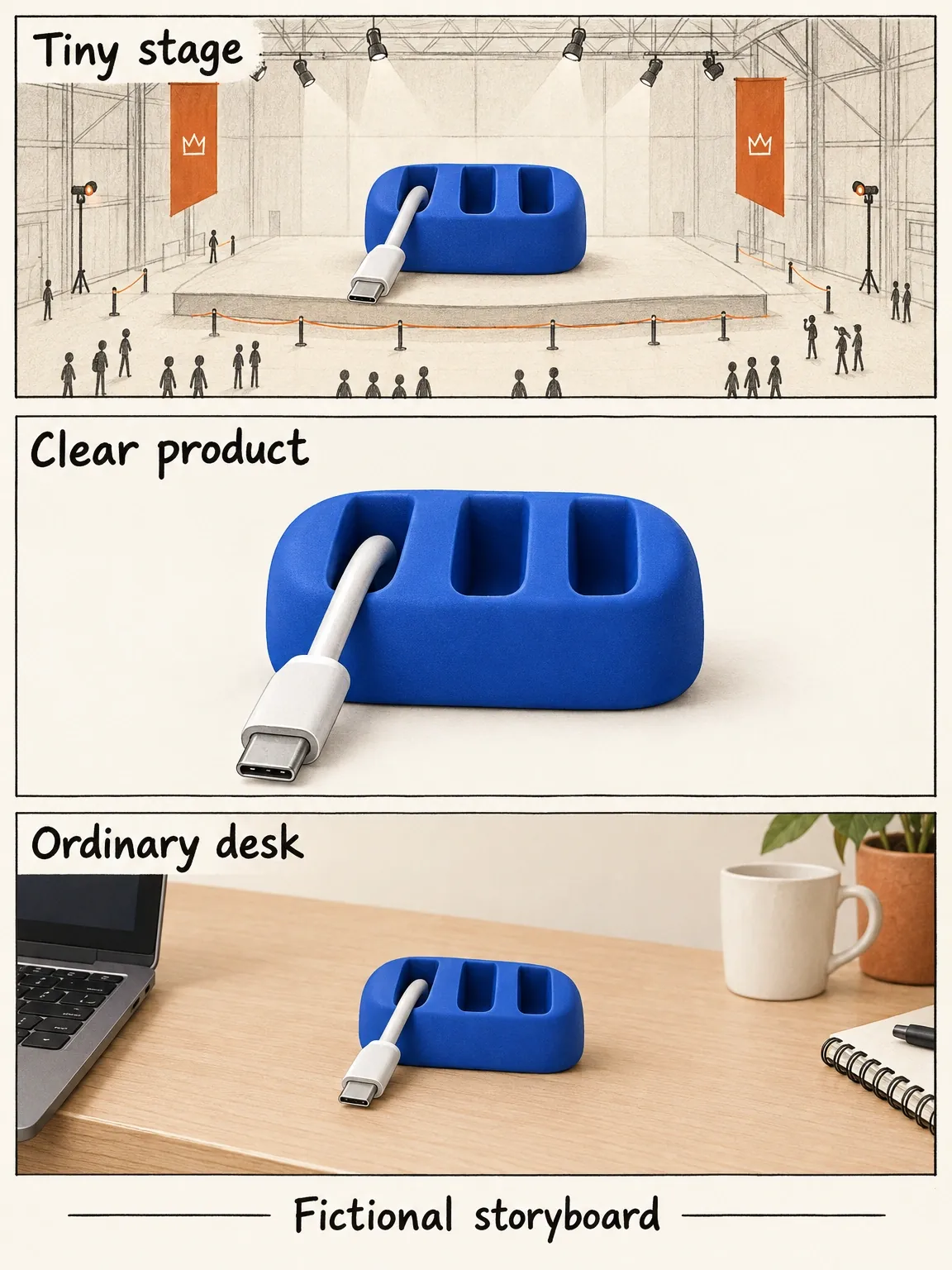
The tiny crew is scenery
The fictional miniature crew draws attention to a resting cable, then leaves. It never takes over the keeper's job.
View full-size (opens in a new tab)Image explanation
- The decorative stage draws attention to one cable resting in a keeper with exactly three slots.
- Return to an ordinary desk with the same geometry and cable position. The scenery must supply no fastening, attraction or charging mechanism.
Define rejection conditions before production
Reject a candidate that adds a fourth slot, hides the cable relationship, introduces a fictional fastening mechanism, or never shows understandable desk placement. Check those faults even if the lighting looks good.
Inspect the transition too. Does the ordinary keeper look like the same object, at a plausible scale, with the same cable relationship? Check geometry as well as colour; matching colour alone won't resolve a shape change.
Watch at the intended display size. Tiny details that look charming in a large preview may compete with the cable-resting action. Simplify the world before making the product explanation smaller.
Use these checks to select the shot. They don't produce a quality score or predict campaign performance; a shot that passes may still need a different message for a particular audience.
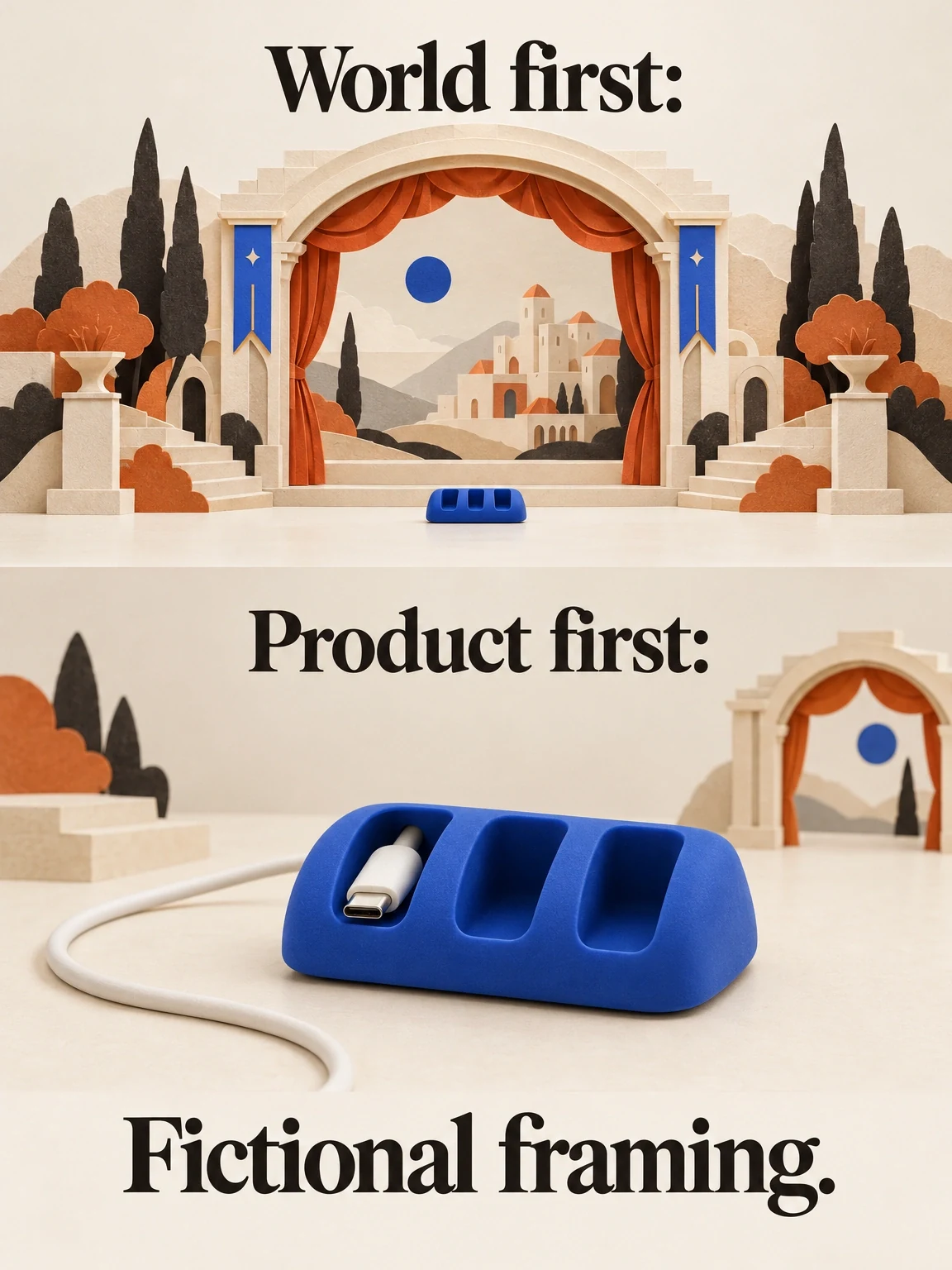
Shrink the world before shrinking the explanation
The fictional hangar can crowd out the keeper's job. Simplify the scenery so the resting cable relationship stays large enough to inspect.
View full-size (opens in a new tab)Image explanation
- An elaborate hangar can dominate while the cable relationship becomes too small to inspect.
- Simplify the surroundings and enlarge the faithful product relationship. Keep exactly three slots and the return to a literal desk.
Make the correction local
Match the correction to the fault. When the stage dominates a faithful product view, request simpler surroundings and a clearer view. If geometry changes during the exit, keep the entry and correct the exit. A shot implying magnetic attraction needs a revised action; changing the caption alone won't fix it.
Use the revision workflow to specify one correction and what should stay. Then review the corrected shot in the assembled ad to make sure the transition still makes sense.
Choose the commercial job, describe how the shot returns to ordinary use, and open Fablo to produce the shot within a complete ad. Fablo's monthly plans provide recurring credits for continued production. Before approving paid work, review an estimate that covers the shot, its literal exit, assembly, and room for corrections.
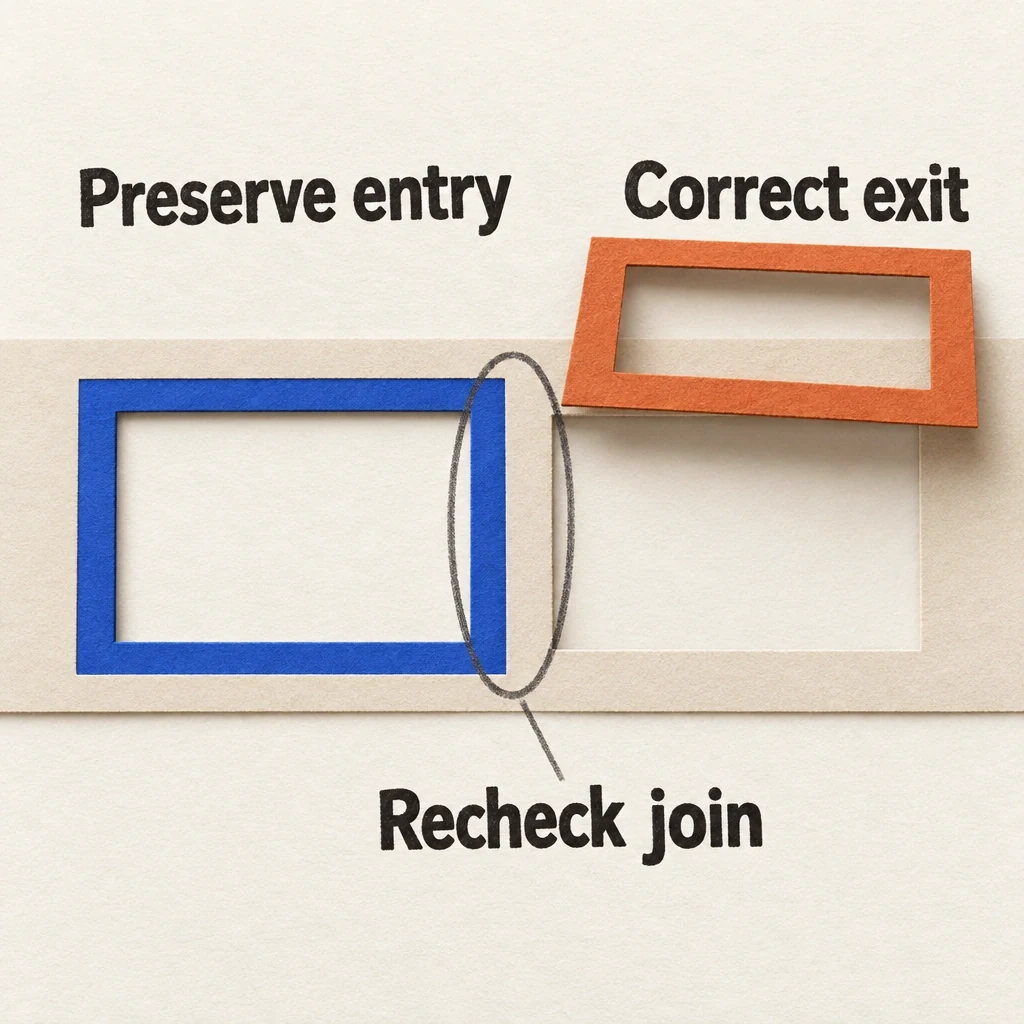
Patch the exit, keep the useful entry
Keep a useful entry while correcting an exit that changes geometry. The new join still needs inspection in the assembled ad.
View full-size (opens in a new tab)Image explanation
- If an inspected shot's geometry changes during its exit, scope the correction to that exit while preserving the useful entry.
- Check the corrected shot and transition in the assembled ad. A requested patch leaves identity and continuity unverified until the new material is inspected.
- This schematic contains no fictional keeper. Colour matching or a caption change alone cannot resolve geometry, ordinary placement or an implied false mechanism.