
A useful production matrix names the question and lists the assets needed to explore it. Keep it small enough to commission and finish. Combining every hook, presenter, style, format, and offer would turn that defined task into a different job.
Start with one sentence: “We need a creative set that lets us compare these particular messages or openings.” Decide whether that calls for complete concepts or variants of an existing ad. The choice determines what you can keep fixed.
Separate concept exploration from opening variation
Consider a fictional cobalt-blue cable keeper with exactly three slots. Its defined job is giving loose charging-cable ends a place at a desk edge. Installation method, universal compatibility, and customer results remain unconfirmed.
One campaign question might be: “Should our creative explain the mechanism, dramatize retrieving a fallen cable, or answer the objection that this is another desk gadget?” Each argument needs its own supporting scenes and language. Request complete concepts, even if they share a product ending.
Another question might be: “Which entrance should introduce this selected mechanism demonstration?” Request openings attached to a preserved body. Changing the demonstration too would require a different commission.
Write the question before adding assets. Use the distinction between concepts and cosmetic variants to catch directions that rename an argument you've already covered.
Establish a fixed brief above the matrix
Use a single approved brief for every cell so competing documents don't introduce unintended differences. The creative-variations workflow sets out the fixed inputs and changing variable each production request needs.
For this illustrative exercise, the fixed brief contains:
- The same supplied three-slot product references and defined product job.
- English language and a requested 15-second, 9:16 assembled ad.
- No invented adhesion, charging function, compatibility promise, or testimonial.
- The same closing line, “Give your cables a place.”
- A visible fictional-product label and the real invitation to make your own version in Fablo, directing viewers to
https://fabloads.com/login.
These constraints describe what to request. Returned exports and subscription coverage still need confirmation. The invitation points to Fablo because the example prop isn't for sale. For your product, use its actual approved offer and destination.
The bounded matrix: three concept cells
This worked matrix is a pre-production plan. Its cell labels organize the brief; no finished files are attached to them.
Cell M1: explain the mechanism. Seeing the cable rest in a slot may make the unfamiliar object understandable. Request a clear product detail, the cable-in-slot action, and a wider desk-edge view. A miniature inspection setting can frame the explanation as long as the literal action stays readable.
Cell M2: dramatize retrieval frustration. A slipping cable may make the use situation immediately recognizable. Request the falling-cable opening, a short imaginative treatment, and a grounded resolution showing the same product job. The argument and sequence change along with the opening image.
Cell M3: answer “another desk gadget?” The idea to explore is whether a small object earns its place when its purpose is obvious. Request a fictional clutter contrast followed by a simple demonstration. Leave out claims about competitors or how much desk space the product saves.
Packet boundary: three requested finished concepts, one delivery ratio, one shared factual brief, and one reviewer. No additional presenter casting, language versions, or crop families are authorized by this matrix. Corrections need a separately defined allowance in the variation decision sheet.
The set explores three creative assumptions supplied for the exercise. Customer motivations and campaign performance remain unproven.
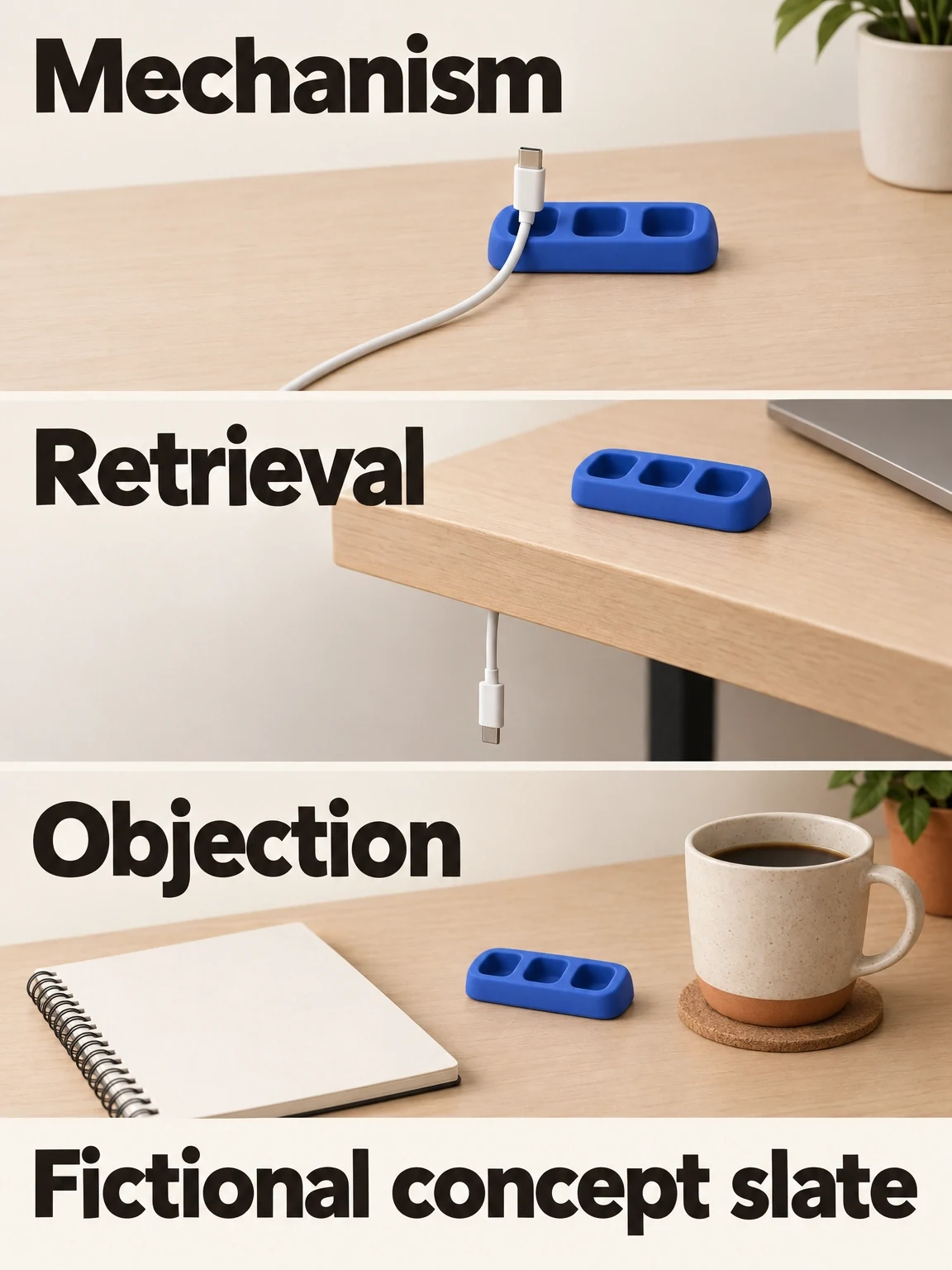
Three cells require three different arguments
The fictional matrix changes the buying argument and its explanation in each cell while keeping the keeper's identity fixed.
View full-size (opens in a new tab)Image explanation
- The mechanism cell explains the resting relationship. Retrieval shows the falling-cable situation. Objection asks whether the object earns its place.
- These are supplied creative ideas that need complete explanations. The slate contains no accepted files and prescribes no universal three-concept quota.
Add an opening matrix only after a body is selected
For opening variation, build a new small matrix around one approved body version. Approval records that the body meets your communication and delivery criteria. Campaign performance still needs its own evidence.
For a separate mechanism-led exercise, request:
- Opening O1: a cable already resting in a slot, introduced with “Here's where the loose end goes.”
- Opening O2: a loose cable at the desk edge, introduced with “Give that cable a resting place.”
- Preserved material: the selected demonstration, narration after the handover, captions, product ending, offer, and destination.
- Compatibility condition: both openings must reach the same visual and spoken handover without implying a function the body does not show.
Request two assembled opening variants. Pairing both openings with all three earlier concept bodies would expand the scope. If a pairing needs a rewritten body, move it into a separate concept task.
Use the preserved-body production guide to plan the join between each opening and the shared body.
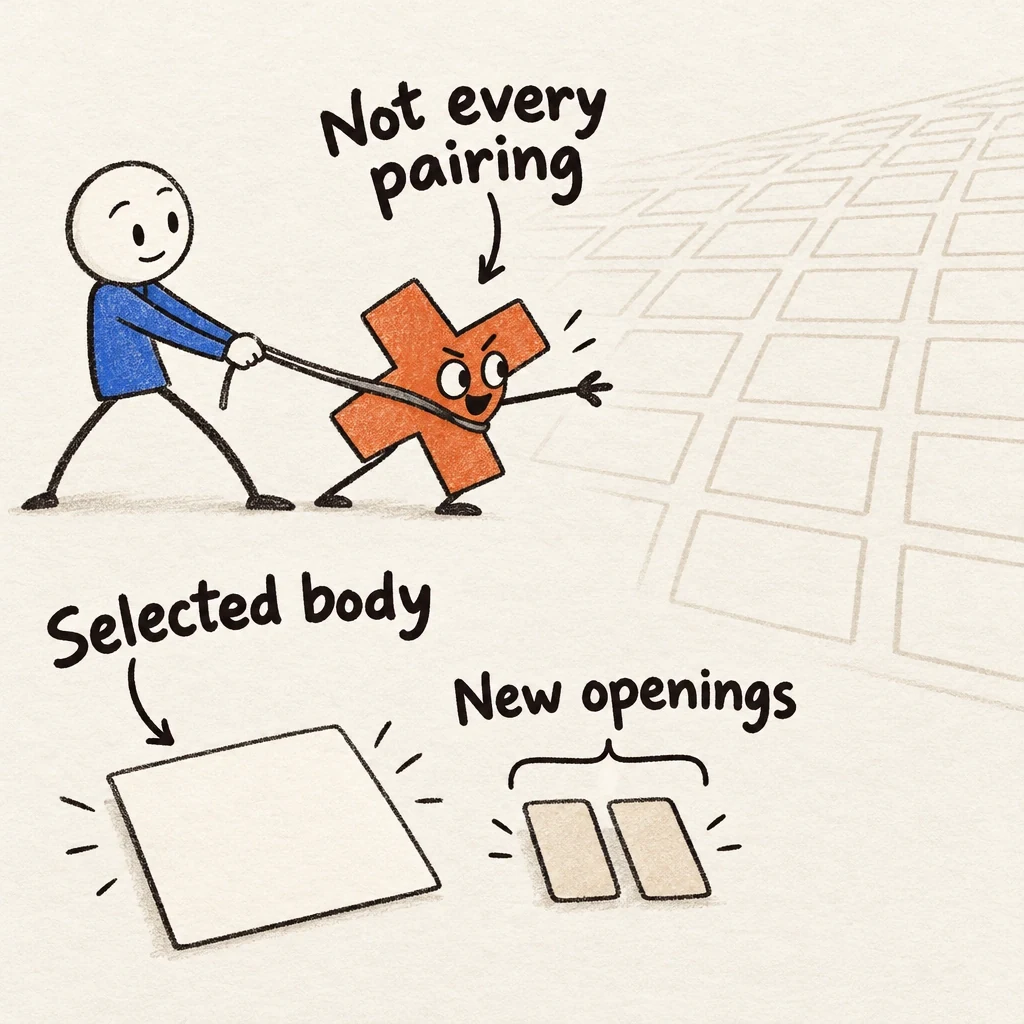
Keep multiplication on a leash
New openings have one selected body to join. The earlier concept slate needn't multiply into every possible pairing.
View full-size (opens in a new tab)Image explanation
- Scope an opening-only packet after selecting one body version. Each entrance needs a compatible visual and spoken handover into that body.
- Preserve its demonstration, subsequent narration, captions, ending, offer and destination. Crossing openings with earlier concepts needs a new scope decision; rewriting the body becomes separate concept work.
- The empty grid represents unrequested combinations. It records no missing exports or included production allowance.
Give each cell a readiness condition
Resolve each cell's inputs, changing variable, required action, and acceptance criteria before production. If it says “Needs product reference”, get that reference before generating the scene. An approximate substitute would leave the dependency unresolved.
Use this short record for each cell:
- Question served: the specific message or entrance being explored.
- Changes: argument, opening, treatment, or delivery adaptation.
- Preserves: exact brief and source-ad versions.
- Required evidence on screen: the product action the viewer must understand.
- Dependency: supplied references, approved body, pronunciation, or offer copy.
- Review decision: accept, request a bounded correction, or remove from the packet.
Approve shared references before producing the cells that depend on them. An incorrect object in those references will carry the error into the rest of the set.
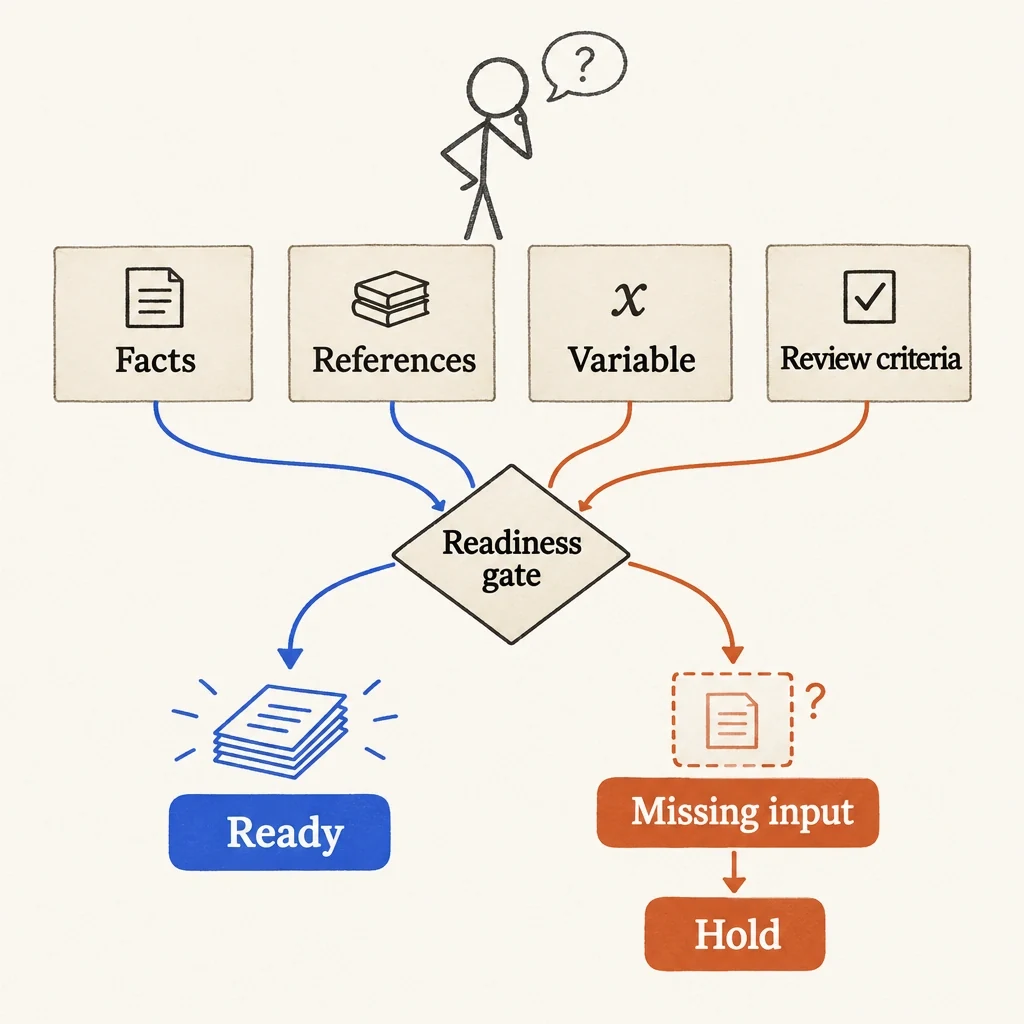
A matrix cell needs its inputs
A blank input is a dependency to resolve. Filling a matrix cell with an approximate substitute can spread the same error to more work.
View full-size (opens in a new tab)Image explanation
- Resolve the facts, references, changing variable and review criteria before briefing a cell.
- Hold a cell with missing input and obtain what it needs. Generating a substitute can spread an unresolved shared error.
Stop expansion at a useful handoff
Review each candidate, then the set as a whole. Look for attractive but redundant cells and accurate ones that miss their assigned argument. Record those problems before counting a cell as a new angle.
Hand the accepted files to the campaign owner with a creative-test manifest. Keep the matrix labels, actual versions, and differences that survived production. ROASPIG's hook-testing guide covers campaign setup and interpretation in the media-buying workflow.
Bring your fixed brief and the smallest matrix that answers the production question, then open Fablo to produce the selected creative set. Fablo's recurring monthly credits fund continued production. Define which cells you're commissioning and review their estimate and correction headroom before approving paid work; the packet doesn't include every possible combination by default.