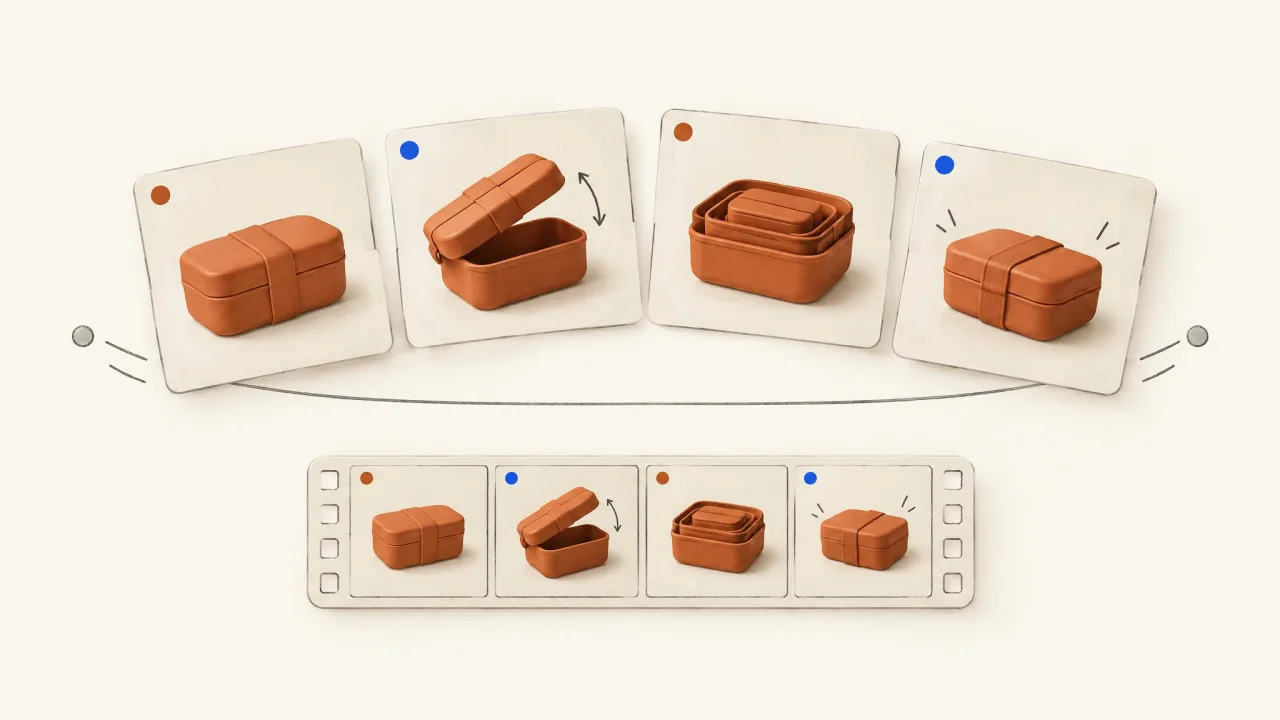
Give each carousel card a factual job and enough context to make sense on its own. Then plan the timing and transitions that turn those jobs into video beats. A video can follow a fixed sequence, but someone who studies only one card should still get something useful from it.
Meta's carousel overview, checked October 8, 2026, describes cards showing different products, specific product details, or a developing brand story. Each approach needs a different structure. Choose yours before designing the cards.
Decide whether the sequence explains or depends on order
A collection unit needs its hero to agree with the individual product cards. Use the collection hero-to-card map to plan that relationship. Multi-product formats don't all work as swipe sequences.
Independent product cards each introduce a different item. An explanation sequence returns to the same item, with each card answering another question about it. A sequential story, by contrast, needs earlier information to make later events understandable.
For a short product explanation, let the cards build on each other without depending on information a viewer may have missed. Card three can add a use context. "Now do this," however, won't make sense if the earlier action is missing.
If the story needs a particular order, record that dependency and confirm the campaign's ordering settings separately. Don't assume the creative-production request configures platform behaviour. The standalone-card inspection below checks communication; it doesn't describe how every placement displays a carousel.
Give each card a subject, fact, and useful view
Before choosing decoration, write down three things:
- The subject: the product, variant, or category a viewer must identify.
- The fact: the single supported point this card communicates.
- The view: the image that makes that point understandable.
A card needs more to do than create suspense. "The secret is inside" might invite a swipe, but someone who sees only that card learns nothing about the product. Name the item and show the relevant feature instead.
If a headline could fit almost any product, use the specific script-line worksheet. "A ledge for the recipe page" tells you what view to show. "Designed for your life" leaves that undecided. Keep the exact wording in the storyboard so you don't have to rely on lettering inside a generated product image.
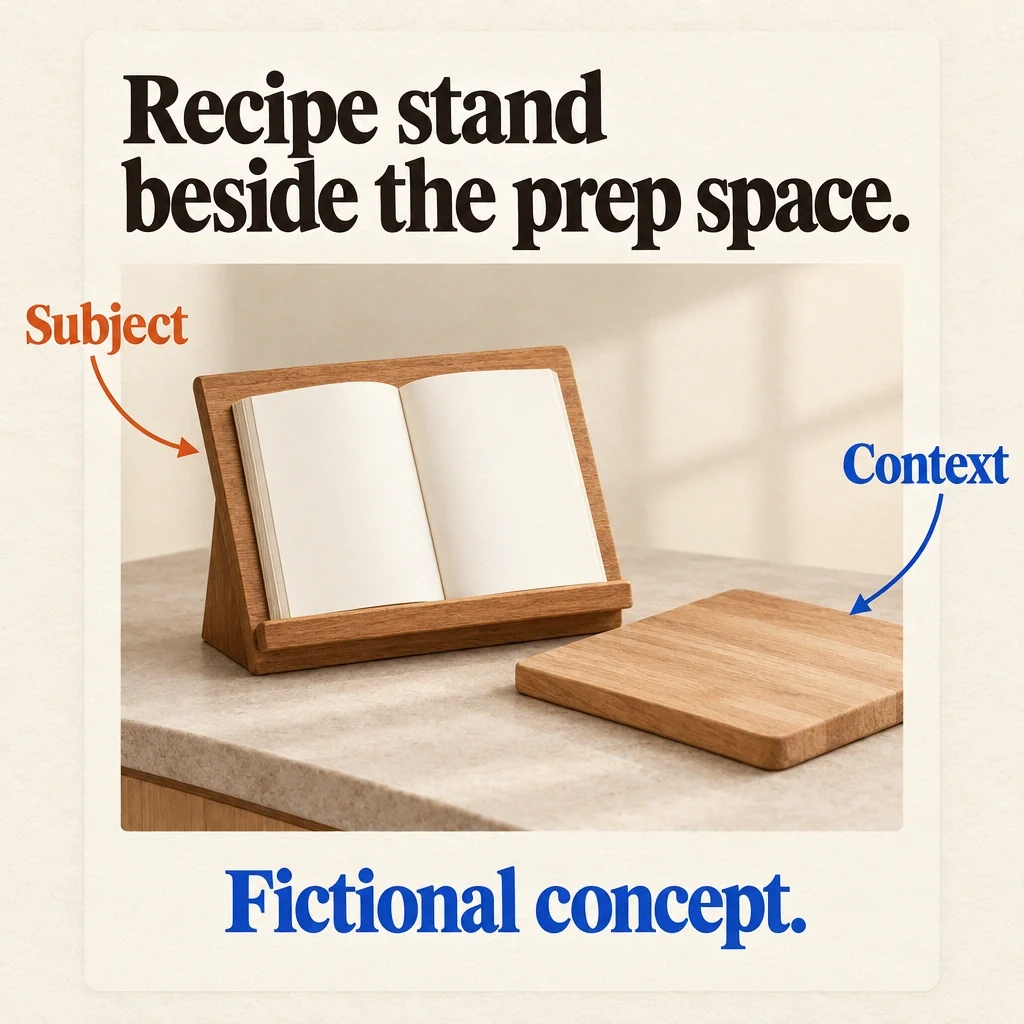
A context card with a visible subject
The fictional card names the recipe stand and shows it beside the prep space. Its subject and staged arrangement are clear on the card itself.
View full-size (opens in a new tab)Image explanation
- The proposed card names the recipe stand and shows its whole angled panel and front page ledge supporting an open book beside a chopping board.
- The arrangement supplies no adjustable angles, universal book capacity, load, splash-resistance or faster-cooking claim. The pointers explain layout decisions rather than product copy or carousel ordering.
- This is a hypothetical layout. A completed campaign card or returned Fablo asset would still need its own production and review.
Worked example: four cards for a recipe stand
Imagine a fictional wooden recipe stand with an angled panel and front page ledge. The planned demonstration shows it supporting an open recipe book beside a chopping board. The brief says nothing about load limits, adjustable angles, or resistance to kitchen splashes.
The following cards are original proposals. They haven't been produced and aren't based on researched customer preferences.
Card one identifies the stand. Show it in full with the open recipe book and the exact headline "A stand for your recipe." The category and use should be visible together, without relying on the ad's surrounding text.
Card two explains the detail. Move closer to the front ledge with the page resting above it. Use "Recipe stand: see the page ledge." Keep enough of the panel visible to connect the detail to the object, without claiming that it can hold any book.
Card three shows the context: the same stand beside the chopping board, with no food covering the book. Use the headline "Recipe stand beside the prep space." It describes the staged arrangement without claiming that the product makes cooking faster.
Card four makes the invitation. Return to a clear product view with "Give your product a clear story." Supporting text identifies the fictional demonstration and invites the viewer to make their own product video in Fablo. Make clear that the imaginary stand isn't available to purchase.
Together, the cards identify the product, explain a detail, show context, and offer a next action. Each also has a recognizable subject and gives someone reading it alone information or an understandable invitation.
Translate the cards into timed video beats
Four stills don't need equal screen time. Video lets you move from the whole object to a detail, then widen back into context. Decide what the viewer needs to understand before each cut.
For an illustrative 15-second cut, you could allocate the time this way:
- 0-3 seconds: show the whole stand and recipe book to introduce the category.
- 3-7 seconds: show the ledge in detail, keeping the same book and stand orientation.
- 7-11 seconds: widen to the prep space so the viewer can see where the detail belongs.
- 11-15 seconds: hold a product view with a readable Fablo invitation for this fictional demo.
These timings are for planning, not a pacing benchmark. If the opening already shows the ledge clearly, shorten its separate beat so you don't repeat the information. If the copy is hard to read at normal speed, shorten the approved wording or give it more time.
Use the cinematic structure guide to decide where a visual flourish could help the explanation. Keep it as a connection between beats, leaving room for the view that explains the object.
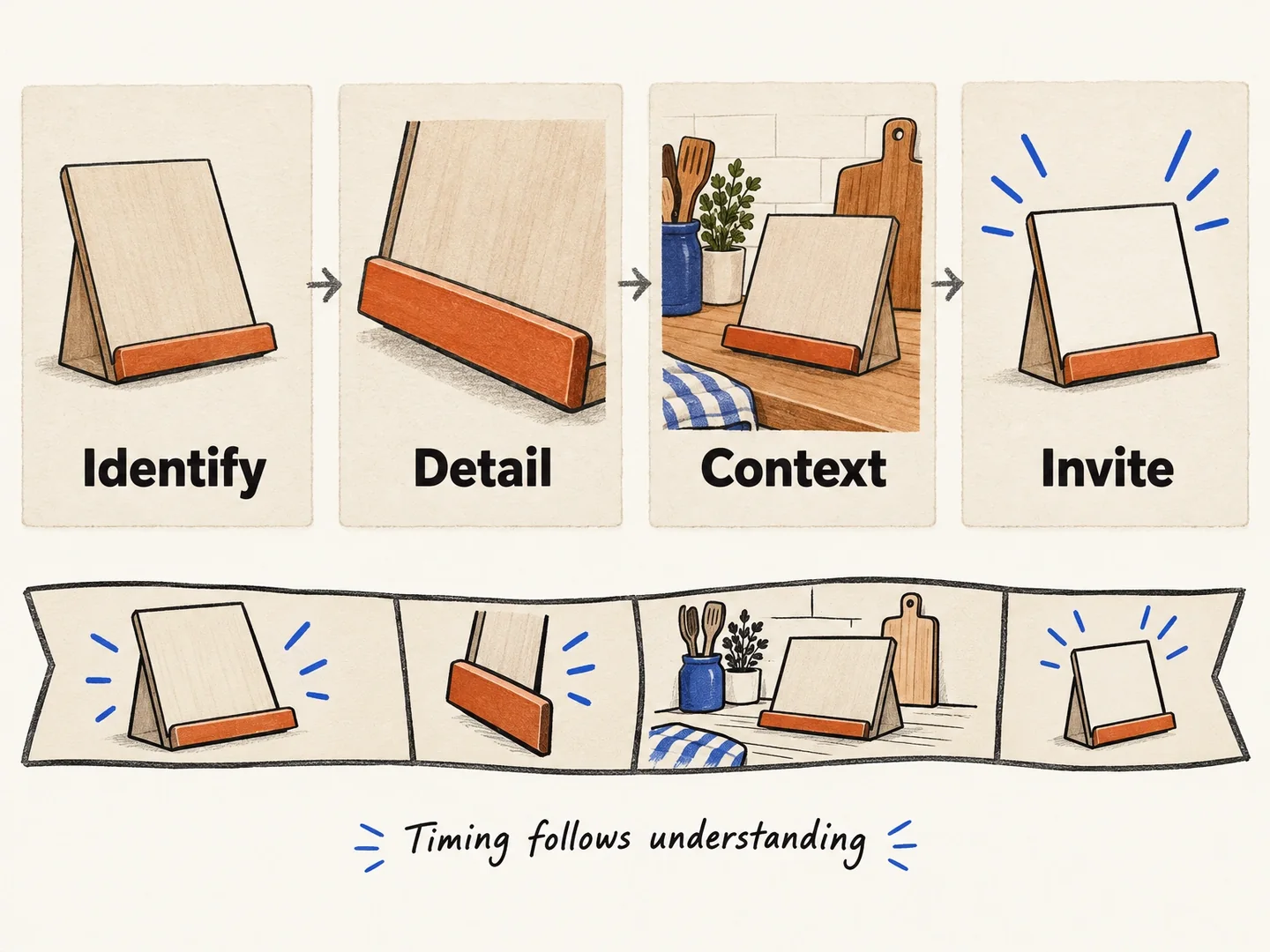
Card jobs become beats, not equal-duration slides
The fictional stand's cards become video beats with time for understanding and reading. Each card needn't get the same duration.
View full-size (opens in a new tab)Image explanation
- The four card jobs identify the recipe stand, explain its ledge, place it beside prep space and invite the next action.
- Allocate time to what the viewer needs to understand and read. Equal card durations are neither required nor a pacing benchmark.
Copy the card-to-beat storyboard
Fill in an entry for each card, recording both what it means on its own and what it contributes to the video.
Product and variant: [exact item; approved references and facts]
Shared message: [the one explanation this packet should carry]
Card number and job: [identify / detail / context / invite]
Standalone subject: [what is recognizable without other cards]
Approved fact: [one point and its source]
Exact headline and supporting copy: [final wording]
Required view: [what must remain visible]
Dependency: [none, or the earlier information it needs]
Destination: [approved action and URL, if applicable]

Video beat: [planned interval and communication job]
Movement or hold: [what helps inspection, not decoration alone]
Connection to next beat: [shared object, action, or composition]
Preserve: [variant, props, wording, offer, and identity]
Requested delivery: [card assets and assembled video; ratios]
Review: [isolated cards, full sequence, timed video playback]
If you need a broader packet, the proposed social-asset-bundle brief has external references for coordinated layouts. Use it for planning. It doesn't document a completed Fablo carousel/video example.
Review the cards and video as separate experiences
Read each card individually, then shuffle the review order. Look for pronouns without a clear subject, unexplained details, and invitations that depend on a missing card. Watch the video at normal speed afterwards. Its cuts, reading time, and product continuity should make the same explanation understandable.
Take the completed storyboard into the product-ad workflow and open Fablo to request the finished video through chat. Agree on the plan and estimate for the requested packet before production. If card-and-video work will be ongoing, use the current pricing information to plan for it.
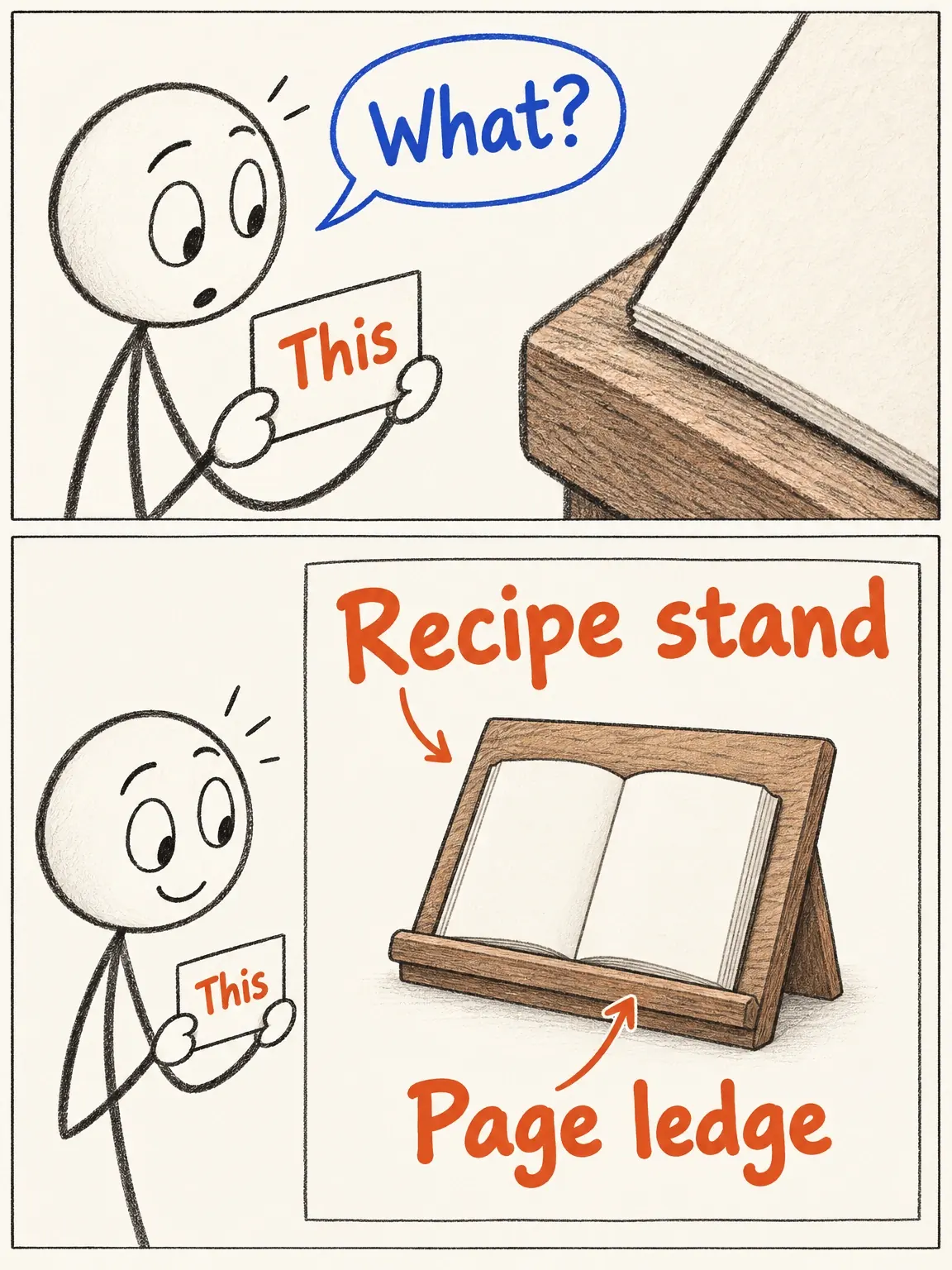
The orphaned carousel card
A viewer may meet this fictional recipe-stand card on its own. Naming the object and showing its ledge saves them from guessing what 'this' means.
View full-size (opens in a new tab)Image explanation
- An isolated card saying this leaves its tightly cropped ledge unexplained.
- Name the recipe stand and locate its front page ledge so the card works without a previous one. The example supplies no adjustment or load facts.