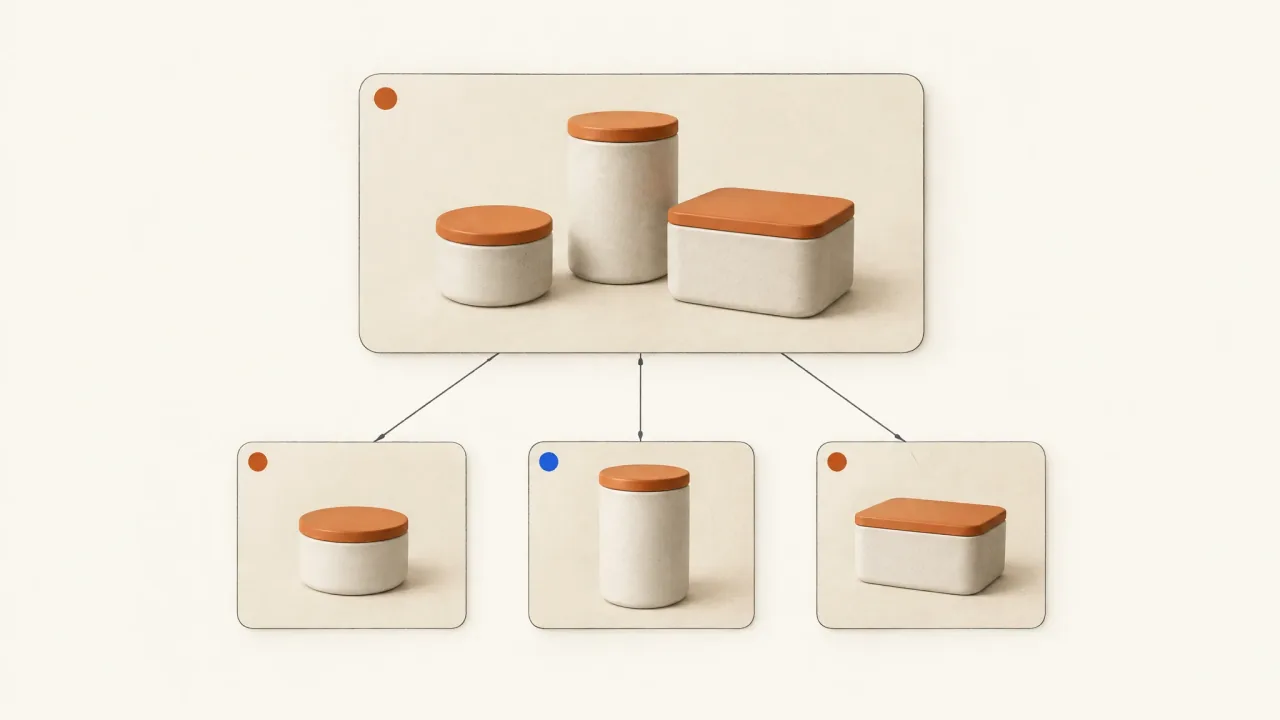
Write the cover's promise before briefing a collection-ad video. Match every featured product to the supplied product set, card image, and destination. The cover gives people a reason to explore the range, and the cards help them find the actual items that caught their attention.
Make a hero-to-card correspondence map before producing atmospheric footage. Use it to keep the video and shopping unit telling the same product story.
Give the cover a clear communication job
Meta's collection-ad documentation describes a large cover image or video with smaller product images. Tapping the cover opens an Instant Experience; tapping smaller product images takes people to product detail pages, with behavior varying by placement. The number of displayed products can also vary.
Use the hero to introduce a reason to explore and the product imagery to support recognition and selection. If the video shows an unavailable variant or suggests that separately sold items form a bundle, the message already conflicts with the offer before anyone reaches a product page.
Choose wording that stays true when the displayed cards change. “Explore the breakfast collection” applies to the range. A promise such as “Everything shown comes in this set” needs an actual set and a matching destination.
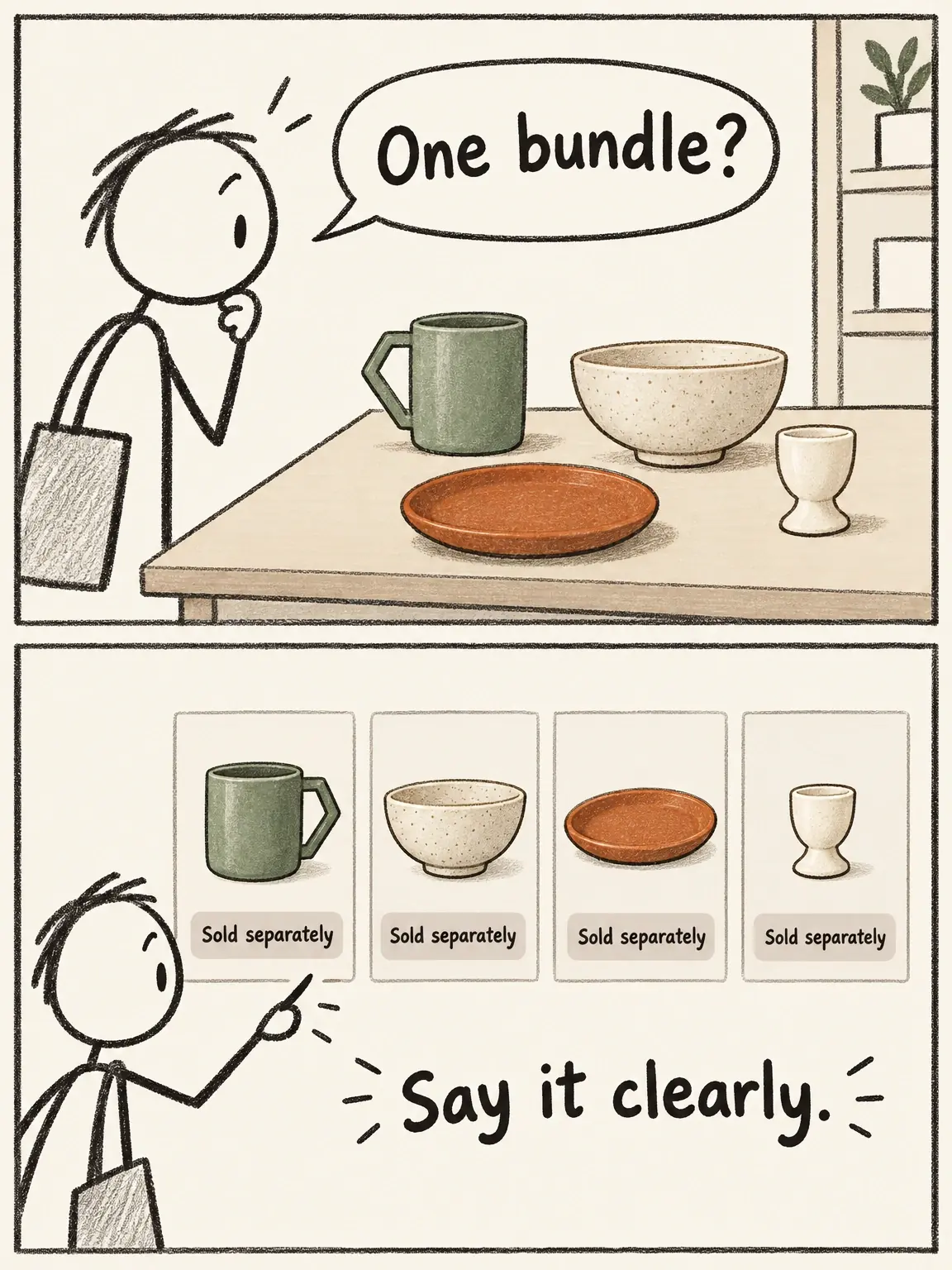
A coordinated table is not automatically a bundle
The fictional ceramics share a table and a visual style. They are still four separately sold pieces.
View full-size (opens in a new tab)Image explanation
- The fictional sage mug, oat bowl, rust plate and cream egg cup are four separately sold items.
- Keep the range imagery and wording from implying that one purchase includes every piece, regardless of the displayed card selection.
Choose products from the supplied range
Ask the campaign owner for the intended product set, current SKU names, approved card images, and destinations. Resolve any differences between the brief's range and the products available for the ad before producing the video.
For this example, use a fictional ceramics range with four separately sold items:
- MUG-SAGE: a sage mug with an angular handle.
- BOWL-OAT: an oat-colored cereal bowl.
- PLATE-RUST: a rust side plate.
- EGG-CREAM: a cream egg cup.
Suppose the owner supplies approved photographs of each item. The range promise is “Build your breakfast table, piece by piece.” That tells the viewer to choose individual pieces, without inventing a breakfast bundle.
Keep color names and product shapes consistent across the hero, cards, and destination. A generated table with a matching teapot would add a fifth item absent from this exercise's product set. Leave it out so the styling stays within the advertised range.
Two worked hero structures for the ceramic range
Structure A: one-product detail leading into the range. Begin with the sage mug's distinctive handle, then move to a supplied view of the recognizable whole mug. End on an approved composition showing the other three pieces beside it, with “Choose your breakfast pieces.”
Use this approach when one item has the range's strongest recognition cue. The final range view connects the mug-led opening to the broader shopping unit. If the actual product set excludes the mug, change the hero or the set before production.
Structure B: a small collection reveal. Begin with a breakfast setting, then introduce the bowl, plate, mug, and egg cup through separate product views. Finish with “Build your breakfast table, piece by piece.” Keep each item's shape and color intact so the sequence shows coordinated pieces without suggesting they're all included in one purchase.
Here, the range takes the leading role. Use the demonstration shot-list guide to decide which product each beat identifies, even when there isn't a mechanical demonstration.
These are illustrative storyboards. They don't show returned Fablo videos or provide evidence of sales performance.
Build the hero-to-card correspondence map
Record each asset by product identity so the brief survives a changed card order, rather than using labels such as “first tile” or “left-hand card.”
Range promise: Build your breakfast table, piece by piece.
Commercial relationship: Four items sold separately; no bundle claim.

MUG-SAGE
Hero role: Opening handle detail and recognizable whole-mug view.
Card authority: [approved sage-mug image and current title].
Destination: [owner-supplied sage-mug product URL].

BOWL-OAT
Hero role: Bowl on the breakfast table or dedicated identification shot.
Card authority: [approved oat-bowl image and current title].
Destination: [owner-supplied oat-bowl product URL].

PLATE-RUST
Hero role: Rust plate beside the other coordinated pieces.
Card authority: [approved rust-plate image and current title].
Destination: [owner-supplied rust-plate product URL].

EGG-CREAM
Hero role: Clear egg-cup view with ordinary table context.
Card authority: [approved cream-egg-cup image and current title].
Destination: [owner-supplied cream-egg-cup product URL].

Cover tap destination: [owner-approved Instant Experience].
Card selection and availability owner: [campaign owner].
Unresolved mismatch: [missing item, variant, asset, or destination].
If a featured product leaves the intended set, flag the affected scene for review. You'll need to coordinate catalog availability and creative revision; producing a video won't synchronize the catalog.
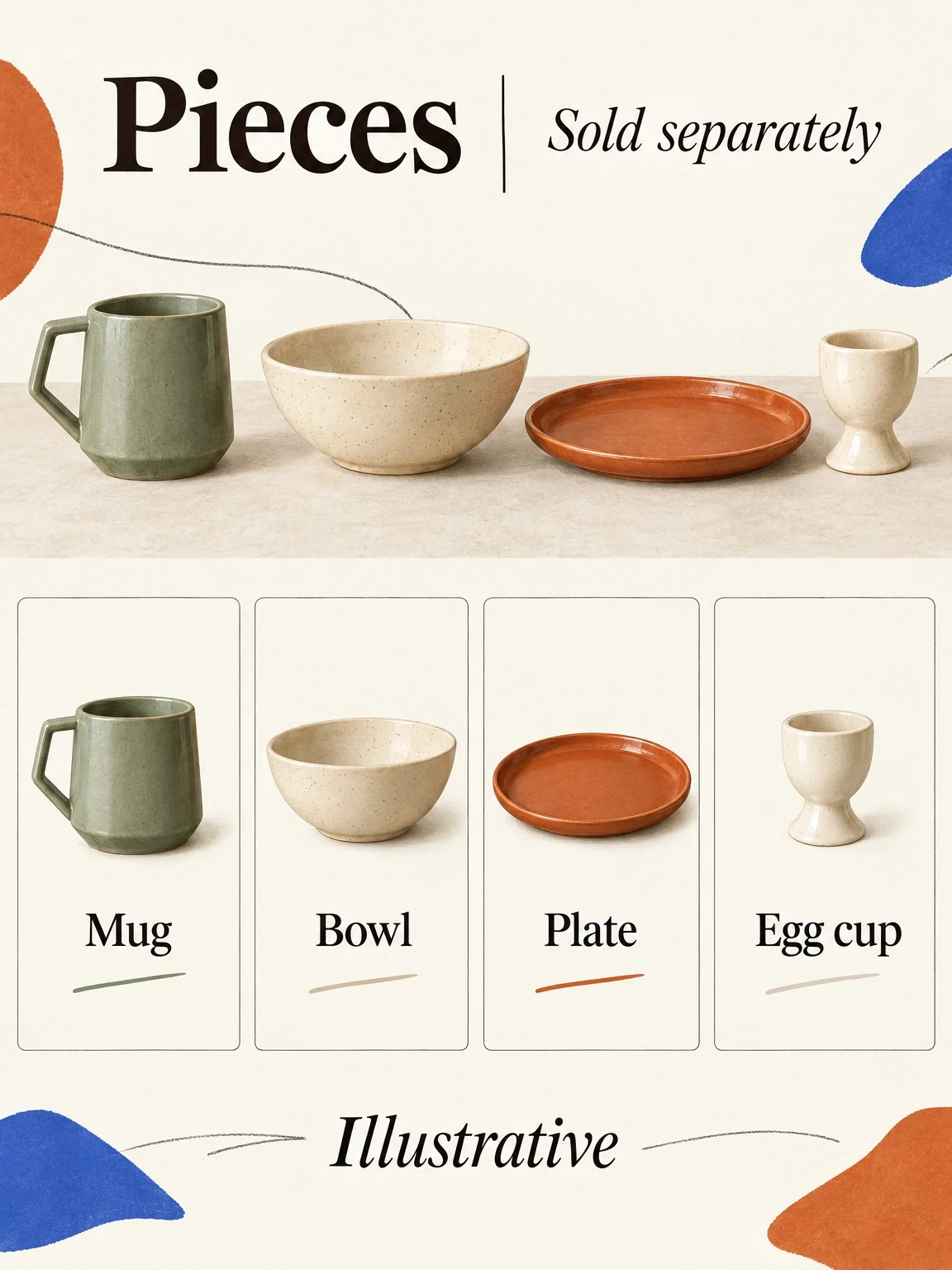
Every hero item needs its own matching card
The fictional ceramic range keeps each piece recognizable in the table view and its own card. The pieces are sold separately.
View full-size (opens in a new tab)Image explanation
- The hero and individual cards show the same four separately sold ceramic items, with their specified colours and mug shape.
- Match each SKU to its actual destination, regardless of tile order. Keep the four-item range free of an invented bundle or fifth piece.
Review the shopping unit, not just the cover
Ask the campaign owner to preview the actual cover, displayed product images, Instant Experience, and product destinations together. Can someone recognize the same items and understand the terms of purchase throughout that journey?
Check the exported video for changing product details, overlapping text, and an ending that makes sense. Use the finished-ad versus generated-clip guide to define the assembly work beyond individual scenes.
For a broader campaign handoff, the product-campaign-pack workflow brief can help you plan several coordinated creative deliverables. Use it as inspiration for the packet; it doesn't document a completed production example.
Commission the hero with an explicit handoff
Copy this request alongside the completed map:
Produce one assembled collection-cover video for [approved range].
Use the attached hero-to-card map and exact product references.
Chosen structure: [one-product detail / small collection reveal].
Range promise and exact overlays: [approved wording].
Protect: [SKU identities, colors, shapes, and sold-separately terms].
Do not introduce products outside the supplied set.
Delivery: [intended placements, ratios, runtime, and export needs].
My campaign owner will configure cards, catalog, and destinations.
Explain the plan and media estimate before paid production.
Return the complete video for review and final human selection.
Bring it to the product-ad workflow and open Fablo to make your collection's hero video. Through conversation, Fablo handles video planning, production, evaluation, corrections within the agreed scope, and assembly. For ongoing range launches, compare current production plans with the deliverables you need.