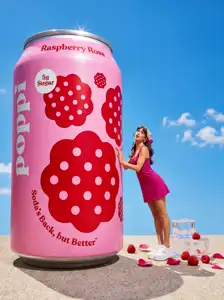
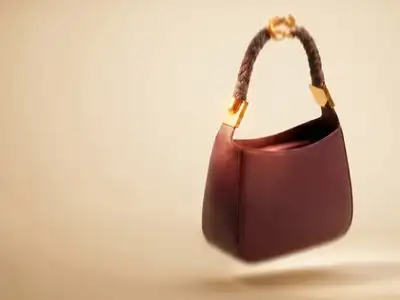
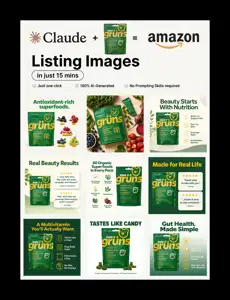
Use the references to choose a visual direction, then add your own facts, assets and audience. Bring these materials into the conversation:
- Product photo or URL
- Approved brand style and copy
- Required channels
A production approach to explore
- Extract the product and product facts
- Propose four distinct visual directions
- Generate scenes with the same product reference
- Choose a visual direction and refine its image set
- Place exact copy in fixed layouts
- Export the requested catalog and social formats
Define what you want to make
Use this as a starting point for the production plan. Choose the final format and scope with Fablo before the paid work starts.
- Four visual directions
- Product hero, lifestyle and detail images
- Catalog cards or listing images
Review the result against the idea
Use the brief to check the creative decisions. For this direction, pay attention to:
- Visual directions differ beyond background color
- Product facts and label remain correct
- The selected image set looks like one campaign
- Every output has a clear purpose
Make the brief yours
Copy this into your production conversation. Replace the bracketed inputs with your own material, specify what you need delivered and ask for a media estimate.
Make four campaign directions from this product photo: studio, lifestyle, surreal and summer. Then turn the chosen direction into a six-image listing set.

My idea, product, or brand: [describe it]
Audience and purpose: [who it is for and what it should communicate]
Facts, offer, and destination: [supply the exact details; flag anything unresolved]
Product photo or URL: [attach or describe]
Approved brand style and copy: [attach or describe]
Required channels: [attach or describe]
Format, runtime, and export: [set the delivery you need]
Media budget: [set a limit and ask for an estimate before production]

Requested deliverables:
- Four visual directions
- Product hero, lifestyle and detail images
- Catalog cards or listing images

Creative review priorities:
- Visual directions differ beyond background color
- Product facts and label remain correct
- The selected image set looks like one campaign
- Every output has a clear purpose

Use the references for direction. Make the story, wording, and brand treatment original.
Where the idea comes from
The source examples and reproduction methods informed this proposed workflow. Credits identify the source of each reference, and the brief describes a possible Fablo production.
Source workflow documentation