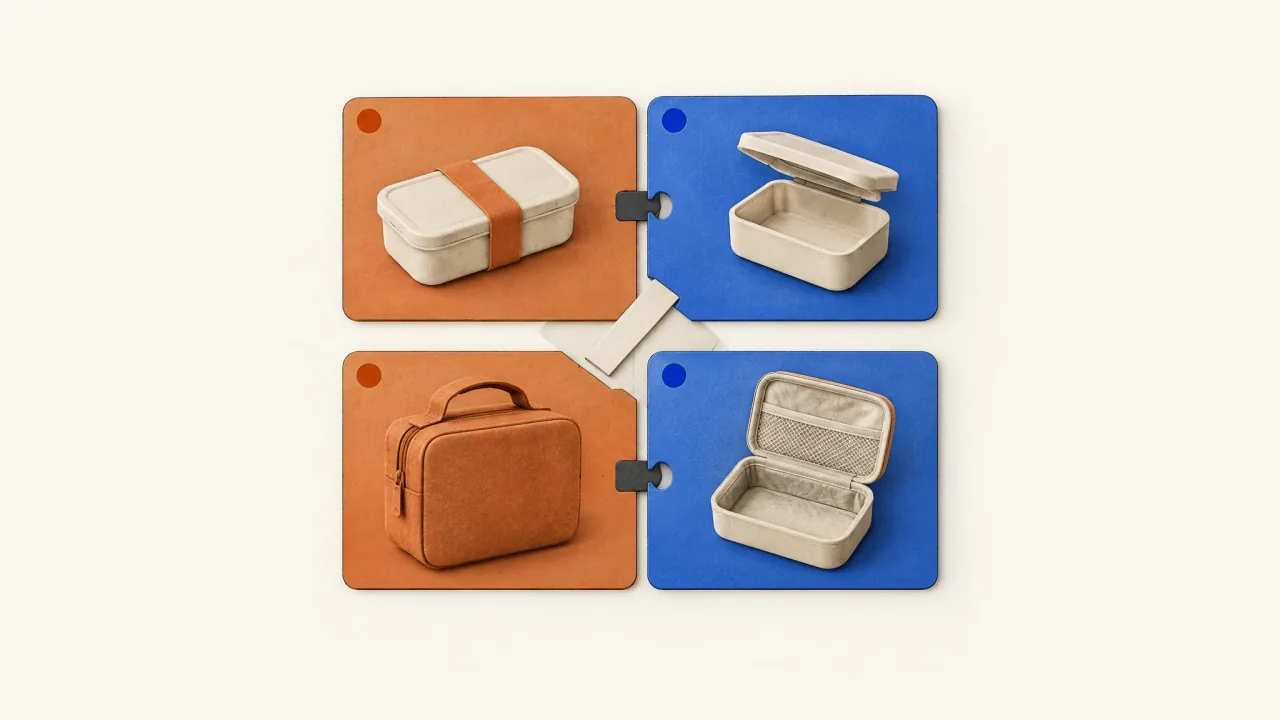
Check the combinations before commissioning a mixed creative set. Every permitted headline, body, visual, and offer pairing should describe the same purchasable product and match its destination. Split incompatible components into separate pools, or assemble complete ads that keep their terms together.
Make an allowed-and-blocked pairing map, then use it to request missing assets that work together. Platform delivery and optimization remain separate campaign decisions.
Define the actual mixing controls before making assets
People often use “DCO” broadly to mean dynamic creative optimization. Before making assets, find out which Meta setup you'll actually use; the term doesn't name one universally available setup.
Meta's dynamic-creative guidance says dynamic creative may no longer be available when creating Sales or App promotion ad sets, and points to flexible format. Its current flexible-ad help also says that feature may not be available and points affected users to multi-media ads and creative customization.
Ask the campaign owner which controls are available for the intended objective and account. Find out which text fields can vary, which media can be combined, and whether destinations are shared. Check whether the setup can actually keep asset groups separate.
The pairing map records your creative rules, but you'll still need to enforce them in Ads Manager. If the chosen setup allows a pairing you've blocked, split the pool or supply a complete creative whose components agree.
Make every component understandable on its own
A headline such as “Everything you need” leaves the product unspecified, and a body beginning “And these come with it” depends on an earlier sentence. Both can become confusing when mixed with another asset.
Name the product and qualify the promise. “Carryall folds flat when empty” gives the reader both the item and the condition. “The weekend kit includes two packing cubes” identifies the offer and its contents.
Inspect visuals as carefully as text fields. Burned-in “Kit included,” a pictured accessory, a presenter line, or a closing offer can constrain every combination using that video. Include those commitments in the asset's pairing rules, even if they look like decorative media.
For changes to a video's opening, use the modular-hook guide, which covers openings joined to one preserved body. Here, the text and media fields are selected independently, so check whether they agree in combination.
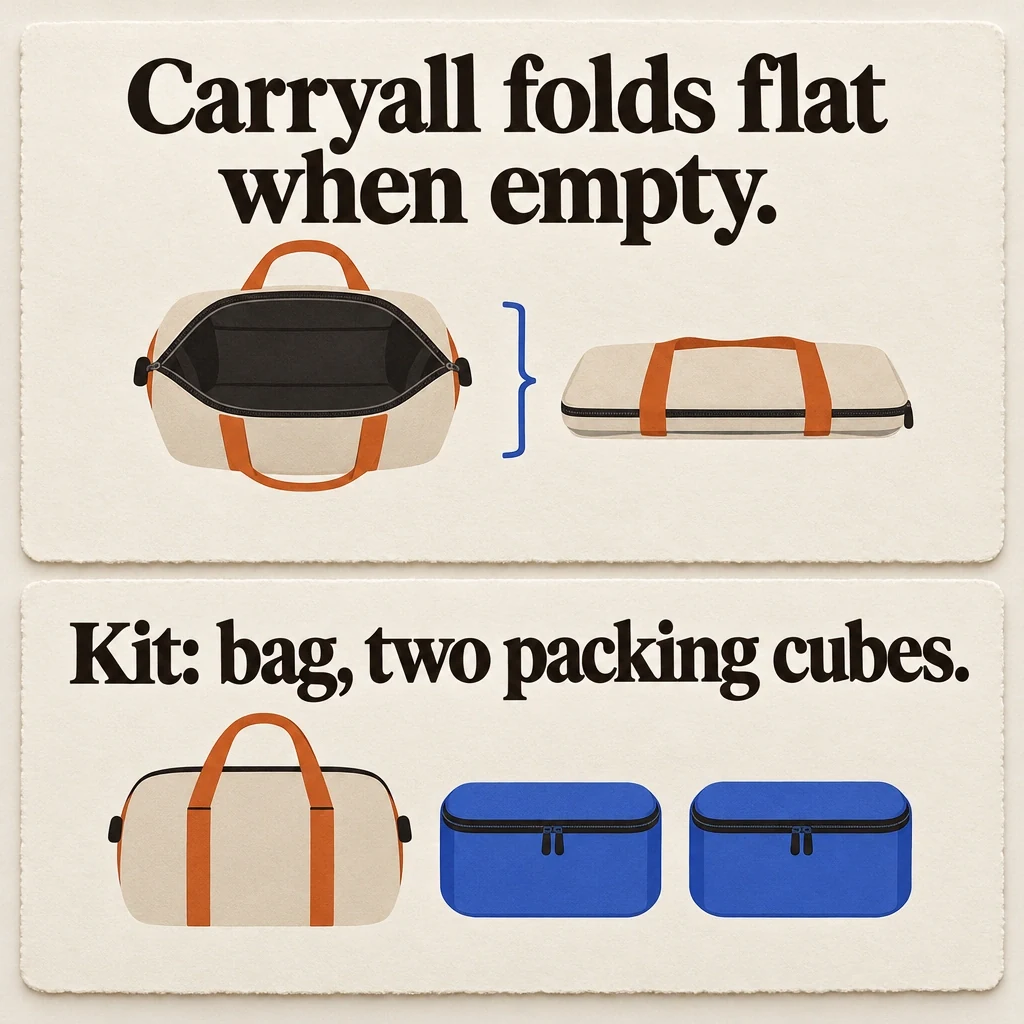
Each component needs to make sense on its own
The fictional Carryall components keep the empty condition and kit contents clear, even when each message appears alone.
View full-size (opens in a new tab)Image explanation
- The folding component names Carryall and keeps the condition that it folds flat when empty. The separate kit component identifies the bag and exactly two packing cubes; those contents belong only to the kit offer.
- The symbols leave the folding interaction unverified and supply no capacity or additional accessories.
- Burned-in words, pictured accessories and presenter lines also commit to meaning. Review whole allowed combinations against their destinations and actual mixing controls. These hypothetical cards enforce no platform pairing rules and represent no completed Fablo assets.
Worked asset set: a bag and a weekend kit
Use a fictional Carryall weekender bag. For this exercise, its approved facts say it folds flat when empty. The bag is sold alone; a separate weekend kit contains the same bag and two packing cubes. The example illustrates product and offer rules without presenting a brand testimonial or campaign result.
Prepare components for two message families: storage between trips and organized packing.
- H-FOLD: “Folds flat between trips.”
- H-KIT: “Two packing cubes included.”
- B-BAG: “Carryall folds flat when empty. Explore the bag on its own.”
- B-KIT: “The weekend kit pairs Carryall with two packing cubes. Explore the kit.”
- V-BAG: supplied bag imagery and an illustrative folding sequence, ending “Bag only.”
- V-KIT: an approved view of the bag and both cubes, ending “Weekend kit.”
- O-BAG: “Bag only,” linked to the bag destination.
- O-KIT: “Bag + two packing cubes,” linked to the kit destination.
The storage fact applies to the bag in both offers, while the included-cubes promise applies only to the kit. Base compatibility on that distinction; stylistically similar assets may still describe different purchases.
Write allowed pairings and explain blocked ones
Start with complete combinations and write the rule behind each row:
ALLOWED
H-FOLD + B-BAG + V-BAG + O-BAG -> [bag destination]
Reason: Storage promise, bag-only terms, and destination agree.

H-KIT + B-KIT + V-KIT + O-KIT -> [kit destination]
Reason: Every component describes the bag-and-cubes kit.

H-FOLD + B-KIT + V-KIT + O-KIT -> [kit destination]
Reason: The folding fact also applies to the bag inside the kit.

BLOCKED
H-KIT + B-BAG + V-BAG + O-BAG -> [bag destination]
Reason: Headline promises accessories absent from the purchase.

H-FOLD + B-KIT + V-BAG + O-KIT -> [kit destination]
Reason: Video's burned-in “Bag only” contradicts the kit offer.
You can review complete combinations in a small packet. For a larger one, group assets as bag-only, kit-only, or shared product facts. Check the offer-specific groups against their destinations, then inspect every full combination an allowed pool can generate. An offer-specific video still has limits even when you pair it with a shared headline.
The map points to a missing asset: a neutral bag video that explains folding when empty and leaves out the bag-only ending. Once reviewed, it could support either offer with the appropriate accompanying text. Commission that gap rather than more unrelated variations that leave the contradiction unresolved.
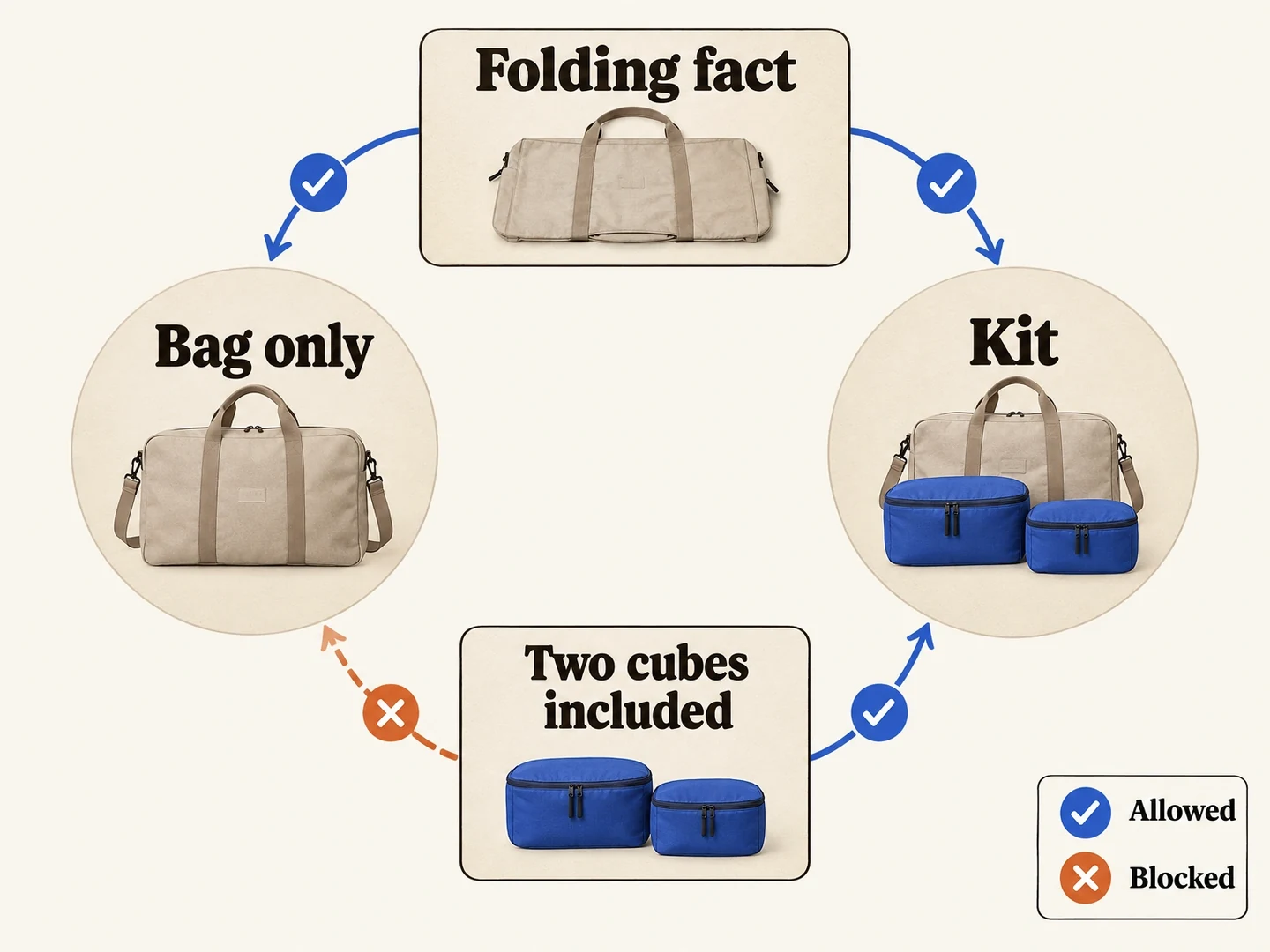
A shared fact is not a shared offer
Both fictional Carryall offers can use the empty-folding fact. Only the kit can promise two included packing cubes.
View full-size (opens in a new tab)Image explanation
- The empty-folding product fact can accompany either Carryall offer. Two included packing cubes belong only to the kit.
- Review whole combinations, including burned-in endings, against their destinations. Use actual platform controls; this creative map cannot enforce the pairings.
Copy a brief for the missing compatible assets
Produce the missing media for [named creative packet].
Actual mixing setup: [campaign-owner description of available controls].
Product facts and references: [approved sources and exact variants].
Compatibility classes: [shared facts / offer-specific groups].
Allowed and blocked map: [attach completed combinations and reasons].
Missing asset: [the exact visual, video, or presenter delivery needed].
Standalone message: [what this asset must communicate by itself].
Approved spoken and visible wording: [verbatim lines].
Offer commitments to exclude: [terms that prevent permitted reuse].
Protected identity and evidence: [product details and genuine material].
Delivery: [complete assets, intended formats, naming, and review needs].
Check the assembled candidates against every intended compatible pool.
Explain scope and estimate before paid work; I select final assets.
Record the selected files and their compatibility classes in the creative-test asset manifest. For presenter deliveries, use the proposed UGC-variation workflow brief to plan the takes around approved product facts.
Produce the gap, then recheck the set
Review each returned asset alongside its intended headlines, bodies, and offers. Even if the main footage is neutral, a new ending can restrict its pairings. Update the map with the selected version and recheck that the combinations match the destination.
Use the creative-variations workflow and open Fablo to produce the missing compatible assets. Fablo handles video planning, production, evaluation, correction, and assembly through conversation. Your campaign owner configures the actual mixing and delivery. For recurring asset packets, compare current plans with the specific gaps you need filled, then authorize that work.