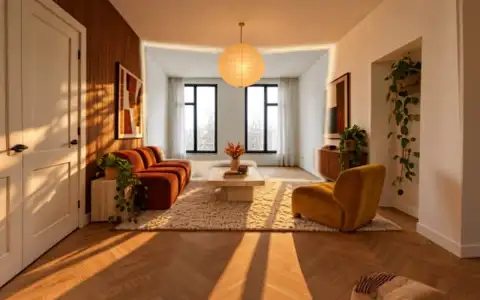
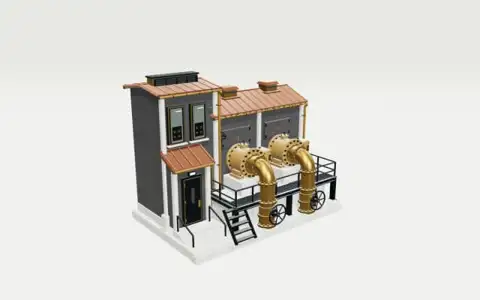
Use the references to choose a visual direction, then add your own facts, assets and audience. Bring these materials into the conversation:
- Product or interior references
- Material and scale information
- Required camera views
A production approach to explore
- Create or reconstruct a simple layout
- Generate materials and props that match the references
- Calibrate scale and camera
- Produce requested viewpoints
- Add an interactive viewer or filmed walkthrough
Define what you want to make
Use this as a starting point for the production plan. Choose the final format and scope with Fablo before the paid work starts.
- Multi-view product shots
- Optional interactive room or demo
- Camera-controlled video
Review the result against the idea
Use the brief to check the creative decisions. For this direction, pay attention to:
- Scale and object placement make sense
- Product details stay accurate from new viewpoints
- Viewer and media load on the target device
- Shots use the intended camera and framing
Make the brief yours
Copy this into your production conversation. Replace the bracketed inputs with your own material, specify what you need delivered and ask for a media estimate.
Show this furniture product in three room styles, keeping its dimensions and materials. Generate matching orbit shots and a simple room walkthrough.

My idea, product, or brand: [describe it]
Audience and purpose: [who it is for and what it should communicate]
Facts, offer, and destination: [supply the exact details; flag anything unresolved]
Product or interior references: [attach or describe]
Material and scale information: [attach or describe]
Required camera views: [attach or describe]
Format, runtime, and export: [set the delivery you need]
Media budget: [set a limit and ask for an estimate before production]

Requested deliverables:
- Multi-view product shots
- Optional interactive room or demo
- Camera-controlled video

Creative review priorities:
- Scale and object placement make sense
- Product details stay accurate from new viewpoints
- Viewer and media load on the target device
- Shots use the intended camera and framing

Use the references for direction. Make the story, wording, and brand treatment original.
Where the idea comes from
The source examples and reproduction methods informed this proposed workflow. Credits identify the source of each reference, and the brief describes a possible Fablo production.
Source workflow documentation